Page 12 of 15 Revision 3 Access Limited 2009 - All Rights Reserved
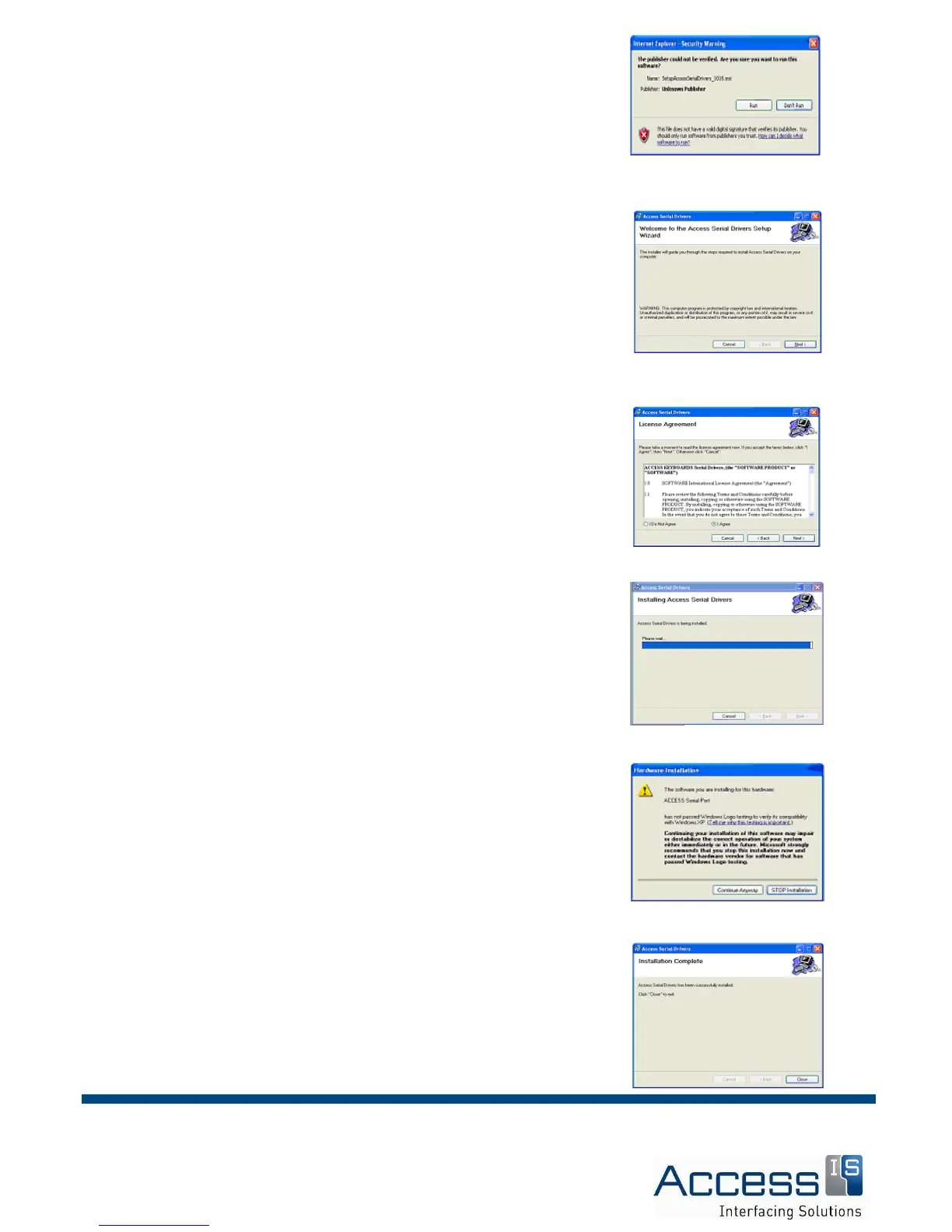
You will then receive the following warning. Click RUN:
A welcome screen will now appear. Click NEXT:
You will be prompted to agree to the licence terms and conditions.
Check AGREE and click NEXT:
The installation progress will be shown with a bargraph.
You may receive the following warning. Press CONTINUE:
The installation should now be complete.
You can now continue with configuration of the driver.



 To Next Page