Need help?
Do you have a question about the Accessmatic SHARK 1000 and is the answer not in the manual?
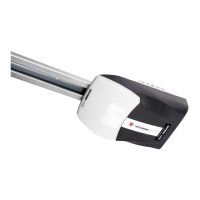
The Accessmatic SHARK 1000 is a sectional and tilting garage door opener designed for residential use. It incorporates a range of features aimed at enhancing safety, convenience, and durability.
The SHARK 1000 operates with a "soft start, soft stop" mechanism, which minimizes the initial load on the garage door and the opener itself, contributing to smoother operation and extended lifespan. It features an auto-learning function for opening and closing force, adapting to the specific requirements of the garage door. A crucial safety feature is the overload force detection: if the door encounters an obstruction while closing, it will automatically reverse more than 15 cm; if an obstruction is detected while opening, the door will stop. This system is designed to work with stationary objects, and the addition of safety photo beams is highly recommended for enhanced protection against moving objects.
The opener includes an adjustable safety resistance with a wide and reliable range. It also has low-voltage protection, preventing any opening or closing action when the voltage is too low, thus protecting the door panel and the controller from damage. For security, it uses a rolling code transmitter with billions of possible codes, preventing code matching or piracy. An auto-closing feature can be enabled for added convenience. The unit is built with a metal chassis for durability.
The SHARK 1000 offers several interface options: a backup battery interface for operation during power failures, a wall switch interface, and a photo beam interface. When a photo beam detects an obstruction while the door is closing, the door will automatically switch to open.
The SHARK 1000 is designed for user-friendly operation and configuration.
Adjustable Automatic Closing Time: To set the automatic closing time, press the "SET" button and hold until the LED displays "1". Then, press "UP" to increase the limit position or "DOWN" to determine the final up limit position. Press "SET" again to turn the display to "2". Adjust the down limit by pressing "DOWN". Fine-tune "up" or "down" to determine the final down limit position, then press "SET". The opener will automatically remember the limit positions and the opening & closing force.
Remote Control Programming: To match a receiver and transmitter, press the "CODE" button and hold until the LED dot is on (Figure A). Press any button on the transmitter once, and the dot will be off. Press the button again, and the dot will flash, then the LED displays "11" (Figure B). After that, the transmitter will be available. If the "CODE" button is pressed for more than 8 seconds, the LED displays "C", and all stored codes will be deleted.
Safety Reverse Force Adjustment: To adjust the safety reverse force, press the "SET" button and hold until the LED displays "3". Press "UP" to increase the force or "DOWN" to decrease it. The maximum force is 9, and the minimum is 1. Press "SET" to confirm.
Auto-Close Setting: To set the auto-close function, press "UP" and hold until the LED displays ".". Press "UP" once, and the auto-close time will increase by 10 seconds, with a maximum time of 9 minutes. Press "DOWN" to decrease the auto-close time by 1 minute. The auto-close function will be turned off when the LED displays 0. Press "SET" to confirm.
Photo Beam Setting: To configure the photo beam, press "DOWN" and hold until the LED displays "11". Press "UP" to make the photo beam function available, and "DOWN" to cancel it. When the setting is finished, press "SET" to confirm. When connecting a pulsed quantity control infrared sensor, refer to Figure 12 for wiring. When an infrared sensor is controlled by a switch value, refer to Figure 13. Note: Close the photo beam function when not using a photo beam sensor.
Manual Disengagement: The opener is equipped with a manual release cord to disengage the shuttle and move the door by hand while holding the handle down (Figure 14). To re-engage the door, simply run the opener in automatic mode or move the door by hand until the trolley engages in the chain shuttle. For situations where a pedestrian door is not in use, an external disengagement device is recommended (Figure 15).
While no particular maintenance is required for the logic circuit board, regular checks are essential to ensure optimal performance and safety.
The SHARK 1000 comes with a warranty: 3 years for the gear motor, 3 years for electrical parts (2 years for Elite line), 1 year for remote controls, and 6 months for batteries (considered wear parts). Warranty claims require presentation of the product with the defect and the original purchase invoice to an authorized service center. The warranty is void if the product has been tampered with, improperly installed, or if damages are due to lack of preventive maintenance, electrical discharges, or use for purposes other than its design.
 General
| Brand | Accessmatic |
|---|---|
| Model | SHARK 1000 |
| Category | Door Opening System |
| Language | English |

 To Next Page