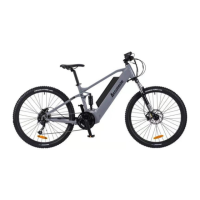
This document serves as an Owner's Manual for the Accolmile A-2850014WM 700C CITY Middle Drive electric bicycle, along with a separate Display Manual for the BAFANG DP C10.UART display.
Accolmile A-2850014WM 700C CITY Bike
Function Description:
The Accolmile A-2850014WM is a 700C CITY electric bicycle designed for riding on flat roads. It features a middle drive motor for pedal assistance. The bike is equipped with disc brakes on both front and rear wheels, offering improved braking performance in various conditions compared to traditional rim brakes. It includes a battery system, a display for monitoring various parameters, and a gear change system. The electric assistance system is activated by pedaling, with adjustable power levels. The bike is designed to be rain and splash-proof, suitable for all weather conditions.
Important Technical Specifications:
- Motor: Bafang 36V 250W M200 middle motor
- Battery: Lithium battery 36V 15AH 2500MAH cells
- Charger: 36V 2A
- Max speed: 25KM/H with powered assistance
- Controls: LCD display panel with bike and light on/off switch
- Power assistance: five levels 1, 2, 3, 4, 5
- Load capacity: 150KGS
- Frame: 700C, 6061 Alloy
- Forks: Suntour NEX Suspension fork
- Seat post: Yousen, 300MM, black, aluminium
- Saddle: Velo Saddle VL-6268A
- Handlebars: 600MM, black, aluminium
- Stem: 110MM, black, aluminium
- Gears: SUNRACE 8 speed derailleur system
- Brakes: Taiwan Logan front & rear hydraulic disc brakes
- Recommended temperature range of use: -10 ~ 40 °C.
Usage Features:
- Pre-ride Checks: Before the first ride and before each use, it's crucial to check the handlebar and stem, all nuts, bolts, and fixings, brake functionality, tire pressure and condition, reflectors and lights, and ensure the battery is fully charged. Pedals should be confirmed as locked.
- Battery Operation: The battery is loaded into the bicycle frame and turned on via a switch directly above it. To remove, turn the battery key to the unlocked position and slide it out. The bike's electrical system is activated by pressing the on/off switch near the left hand grip for two seconds.
- Pedal Assist System (PAS): The motor engages when pedals are turned between 90 and 180 degrees. Assist levels (1-5) are selected using up/down arrows on the handlebar control, with level 5 providing 100% power. The default level is 1. Power settings can be changed while stationary or moving.
- Battery Capacity Meter: An LCD indicator approximates remaining battery capacity (each bar represents ¼ capacity). This is an indication and can fluctuate based on power demand and ambient temperature.
- Brakes: Disc brakes are fitted, with the left lever for the front and right for the rear.
- Connectors: Electrical components use individual connectors for easy removal and replacement.
- Saddle Height Adjustment: Quick release mechanism allows for easy saddle height adjustment.
- Gear Change: The bike features an 8-speed rapid fire gear shifter on the right side of the handlebar. Levers underneath the shifter are pulled and pushed to select gears 1 through 8.
- Waterproof: The electric bicycle is rain and splash-proof, suitable for all weathers, but electrical components (motor, battery, controller) must not be submerged. Direct flushing with water should be avoided to protect brake levers, handlebars, and electronic equipment.
Maintenance Features:
- General Maintenance: Regular spot-checks are essential. Wheel spokes should be checked after 300 miles of riding. Handlebar and saddle tubes should not be raised beyond the maximum permissible mark. Recommended torque settings are provided for various nuts and bolts (e.g., front axle nuts: 46N.m, back axle nuts: 70N.m, handlebar and stem clamp bolts: 12N.m).
- Lubrication: All pivot points on the derailleur and chain should be lubricated with light oil or chain lube regularly. Headset bearings, front wheel bearings, and pedal bearings should be re-greased once a year.
- Brake Maintenance: Regularly inspect brake pads for wear (replace if less than 1mm). Front brake pads can be removed by unscrewing two 6mm Allen caliper fixing screws and a 3mm Allen wrench for the pad retaining screw. Do not touch the disc brake disc immediately after braking.
- Tire and Rim Care: Avoid lubricating front and rear brakes and tires. Regularly check tire wear; replace if tread wear is serious, cracked, or damaged. Replace inner tubes if air leakage occurs. Replace rims if deformed.
- Chain and Drive Wheel: Replace the chain if deformed, extended by 1%, or severely rusted. Replace freewheel wheel or tooth disc if sharp due to wear or strange noise.
- Derailleur Adjustment: If gear changing becomes difficult after initial operation, cable stretch may have occurred. Adjust the knurled adjuster on the derailleur by turning it ½ turn anticlockwise to compensate.
- Battery Care: Recharge the battery after every use if possible. Do not leave it completely discharged for more than 24 hours. Recharge monthly even if not in use. Store and recharge at room temperature. Do not expose to fire, heat, acid, or alkaline substances.
- Battery Recharging: Turn off the charger, connect to battery, then plug into mains. Red light indicates charging, green light indicates full. Leave connected for an additional hour after turning green for optimal life. Disconnect charger from mains before disconnecting from battery. First three charges may take up to twelve hours. Always charge in a well-ventilated area. Do not leave charger connected when not in use.
- Battery Safety: Never leave connected to charger overnight. Never recharge outside, in damp conditions, or below 0 degrees Celsius. Never open or attempt to fix the battery case; only registered Accolmile Stockists should perform maintenance. Do not use the bike if the battery is damaged or overheating; return it to the retailer.
- Cleaning: Use neutral detergent and a soft clean cloth or sponge dipped in water to wipe plastic parts (headlight lampshade, instrument case), then wipe with a dry cloth to avoid scratches. Avoid frequent bike washing; the best cycle is 10-20 days. Do not wash the bike in areas where sewer pipes are laid to prevent traffic safety hazards.
BAFANG DP C10.UART Display
Function Description:
The BAFANG DP C10.UART is an intelligent display HMI (Human Machine Interface) for electric bicycles, providing real-time information and control over the bike's electrical system. It uses a two-way serial communication protocol and an external 5-key keypad for simple operation. The display shows speed, battery level, assistance levels, distance, and error messages. It also features automatic light-sensitive lights and walk assistance.
Important Technical Specifications:
- Model: DP C10.UART
- Scope: EN15194 electrical bicycle
- Appearance: PC shell, hardened PMMA liquid crystal display.
- Power Supply: 36V/43V/48V DC
- Rated current: 10mA
- Maximum operating current: 30mA
- Power-off leakage current: less than 1uA
- Operating current supplied to controller: 50mA
- Operation temperature: -20 C ~45 C
- Storage temperature: -30 C ~70 C
- IP level: IP65
- Storage humidity: 30%-70%
- USB port: Maximum charging value 5V & 500mA.
Usage Features:
- ON/OFF Switch: Press and hold the power button for 2 seconds to turn the display on or off. The display automatically turns off after 5 minutes of inactivity (time can be set).
- Assist Mode Selection: In manual gearshift mode, use the '+' or '-' buttons to select desired motor support levels from 1 (lowest) to 5 (highest). Default mode is Level 1.
- Distance and Speed Mode Switch: Briefly press the 'i' button to cycle through single-trip distance (TRIP km), total distance (TOTAL km), maximum speed (MAXS km/h), average riding speed (AVG km/h), remaining distance (TO GO), real-time output power (W), and energy consumption (C).
- Headlight/Display Backlight Switch: Press the headlight button for 2 seconds to turn on/off the display backlight, headlight, and taillight. There are 5 levels of backlight brightness. Lights turn on automatically in dark environments.
- Walk Assistance: Press the '-' button for 2 seconds to enter walk assistance mode (WALK symbol displayed). Release the button to exit.
- Battery Status Indication: The display shows battery status with segments and a border light. If all 10 segments are black and the border blinks, immediate charging is required.
- USB Charging: Connect a USB cable to the display's port to charge. Maximum charge voltage is 5V, maximum current 500mA.
- Parameter Setting: Various parameters (mode, wheel diameter, speed limit) can be set via a communication cable.
- Data Reset: Press 'i' twice (interval < 0.3 seconds) to enter the MENU state.
- Km/mile: Press '+' or '-' to switch between km/h and mph.
- Light Sensitivity: Press '+' or '-' to choose between 0 and 5, with higher numbers indicating higher light sensitivity.
- Display Backlight Brightness: Press '+' or '-' to choose between 1 and 5, with 1 being darkest and 5 brightest.
- Automatic Off Time: Press '+' or '-' to choose between 1 and 9 minutes for automatic display shutdown.
- Wheel Diameter Check: Displays 'Wd' in inches. Incorrect setting can lead to speed anomalies.
- Speed Limit Setting: Displays 'SPL'. Minimum speed limit is 12km/h, maximum is 60km/h.
- Battery Information: Displays detailed battery information (current temperature, total voltage, average current, remaining capacity, full capacity, relative state of charge, absolute state of charge, charge/discharge cycle, longest period without charge, period since last charge, cell quantity, voltage of each cell) if communication with the battery and controller is established.
- Error Code Definition: The display shows e-bike faults with an icon and error codes (e.g., "04" for throttle not returned home, "05" for throttle fault, "07" for overvoltage protection, "08" for motor hall signal cable fault, "09" for motor phase cable fault, "11" for controller temperature sensor failure, "12" for current sensor failure, "13" for battery temperature fault, "14" for motor temperature fault, "21" for speed sensor fault, "22" for BMS communication fault, "30" for communication fault). Each code has a corresponding troubleshooting method.
Maintenance Features:
- Maintenance Warning: This function can be deactivated. It displays warnings based on battery charge cycles and riding distance, estimating battery life and warning when charge cycles or total riding distance exceed set values.
- Error Troubleshooting: The display provides error codes and suggested troubleshooting methods for various faults, such as checking the throttle, battery voltage, motor module, controller, battery, motor, speed sensor installation, or controller connection.
- Pre-Delivery Inspection (PDI): A critical part of quality assurance, the PDI checklist covers mechanical parts (wheel alignment, axle nut tightness, tire pressure, brake function, suspension forks, headset bearings, handlebar stem fixings, mudguards, cables, pedals, pedal cranks, bottom bracket, seat post, gear change, side stand, motor wheel rotation, chain tension, chain guard, reflectors) and electrical parts (lights, connections, throttle, LCD display, battery location/lock, battery charging/charger function). A road test is also required to check electrical and cycle systems, noise, and performance.

 Need help?
 General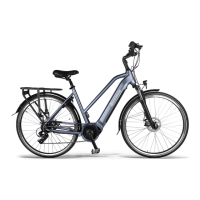

 To Next Page