PROPRIETARY AND CONFIDENTIAL
© 2021 by Acconeer
Installing Raspbian, cont.
11
• Once the command prompt appears, the installation is
complete.
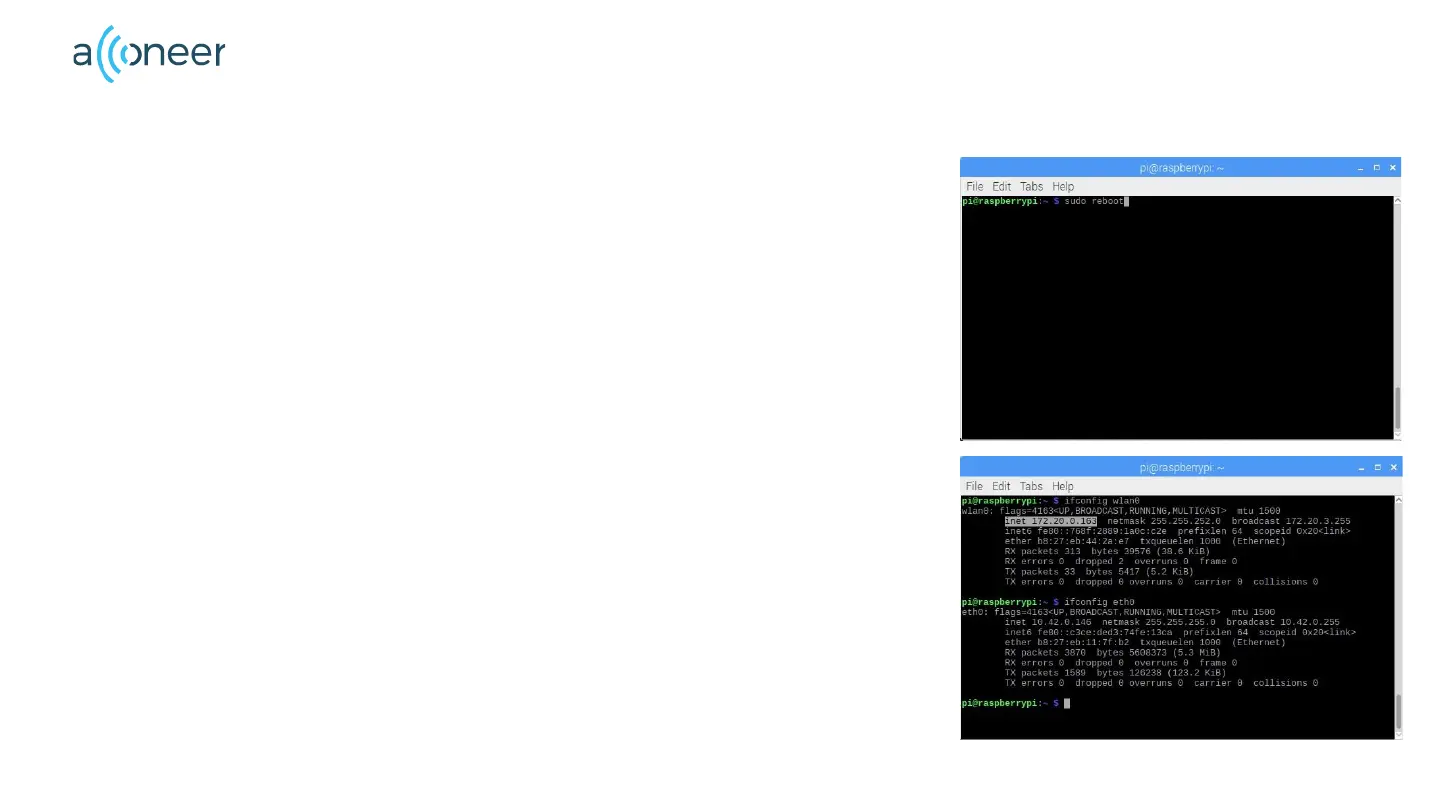
• To reboot the Raspberry Pi, type sudo reboot in the
console.
• Once the reboot has been done, open the terminal window
again. Now we need to find the Raspberry Pi IP adress.
• Type ifconfig wlan0 - the IP adress will appear in the terminal
window.
• If you do not use a wifi but have your raspberry connected by
means of an Ethernet cable, type ifconfig eth0.
• In both cases, the Raspberry IP is visible as inet
xxx.xx.x.xxx


 To Next Page