EasyManua.ls Logo

Accton Technology EtherHub-16 - User Manual

Accton Technology EtherHub-16
10 pages
Print Icon
To Next Page IconTo Next Page
Loading...
EtherHub-16 Quick Start Guide
1
Smart Ethernet Hub with 16 RJ-45 Ports and 2 AUI/BNC Ports
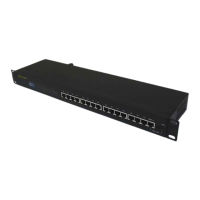
This 10 Mbps Ethernet hub includes 16 RJ-45 ports on the front panel, and 2 AUI/BNC ports on
the rear panel. This hub can be operated in a stand-alone configuration, cascaded to other hubs,
or linked to one or more AUI/BNC backbones. This hub is suitable for desktop or rack-mount
installation, and supports full-range power input. The EtherHub-16 conforms to the IEEE 802.3
standard for local area networks based on CSMA/CD, and provides10BASE-T, 10BASE2 and
10BASE5 repeater functions including:
Signal amplification and retiming
Preamble regeneration and fragment extension
Automatic port partition and reconnection
Hardware Installation
The EtherHub-16 has 16 RJ-45 ports, of which Port 16 can serve as either a standard port or a
daisy-chain port. It also has two AUI/BNC ports. Use twisted-pair cable (100W STP or UTP) to
connect any standard RJ-45 (MDI-X) port to a server/workstation, or to connect the RJ-45 daisy-
chain port (i.e., Port 16MDI ) to another compatible hub or switch. You can also attach up to two
Ethernet LAN backbones by connecting thin coaxial cable to a BNC port or connecting thick
coaxial cable to an AUI port.
Making RJ-45 Connections
1. Prepare straight-through twisted-pair cable (100W) with RJ-45 plugs at both ends. The
length of each cable should not exceed 100 meters (328 feet).
I
Do not plug a phone jack connector into any RJ-45 port. This may damage the hub. Instead,
use only twisted-pair cables with RJ-45 connectors that conform with FCC standards.
Question and Answer IconNeed help?

Do you have a question about the Accton Technology EtherHub-16 and is the answer not in the manual?

Summary

Hardware Installation

Making RJ-45 Connections

Connecting devices using RJ-45 twisted-pair cables, covering cable types, length, and proper connector use.

Connecting to Ethernet Backbone

Power and System Configuration

Providing Power to the Hub

Steps to power on the hub and check the power indicator. The unit auto-selects voltage.

System Configuration Overview

Illustrates network configurations using RJ-45, BNC, and AUI ports, including cabling restrictions.

Hardware Port Descriptions

RJ-45, Daisy-Chain, and BNC Ports

Details on RJ-45, Daisy-Chain ports, and BNC (10BASE2) connectivity, including cable and terminator requirements.

AUI Port

Describes connecting the hub to Thick Ethernet (10BASE5) or Fiber Optic (10BASE-F) using AUI ports.

Indicators and Troubleshooting

Front Panel Indicators

Overview of the hub's LED indicators for monitoring network status, activity, and potential errors.

Troubleshooting Common Issues

Provides solutions for common problems like unlit Link/Rx indicators, partition indicators, or jabber status.

Specifications and Warnings

Technical Specifications

Detailed technical data including transmission, topology, media, interfaces, dimensions, power, and certifications.

EMI and Safety Compliance

Information on FCC Class A compliance, potential interference, and Underwriters Laboratories safety compliance.

Warranty and Legal Information

Product Warranty Details

Details the product warranty, registration requirements, and limitations on coverage for defects.

Copyright and Disclaimer

Copyright notice and disclaimer regarding publisher responsibility for content accuracy.

Accton Technology EtherHub-16 Specifications

General IconGeneral
BrandAccton Technology
ModelEtherHub-16
CategorySwitch
LanguageEnglish