EasyManua.ls Logo

Accu1 Direct 9300 - User Manual

Accu1 Direct 9300
24 pages
Print Icon
To Next Page IconTo Next Page
Loading...
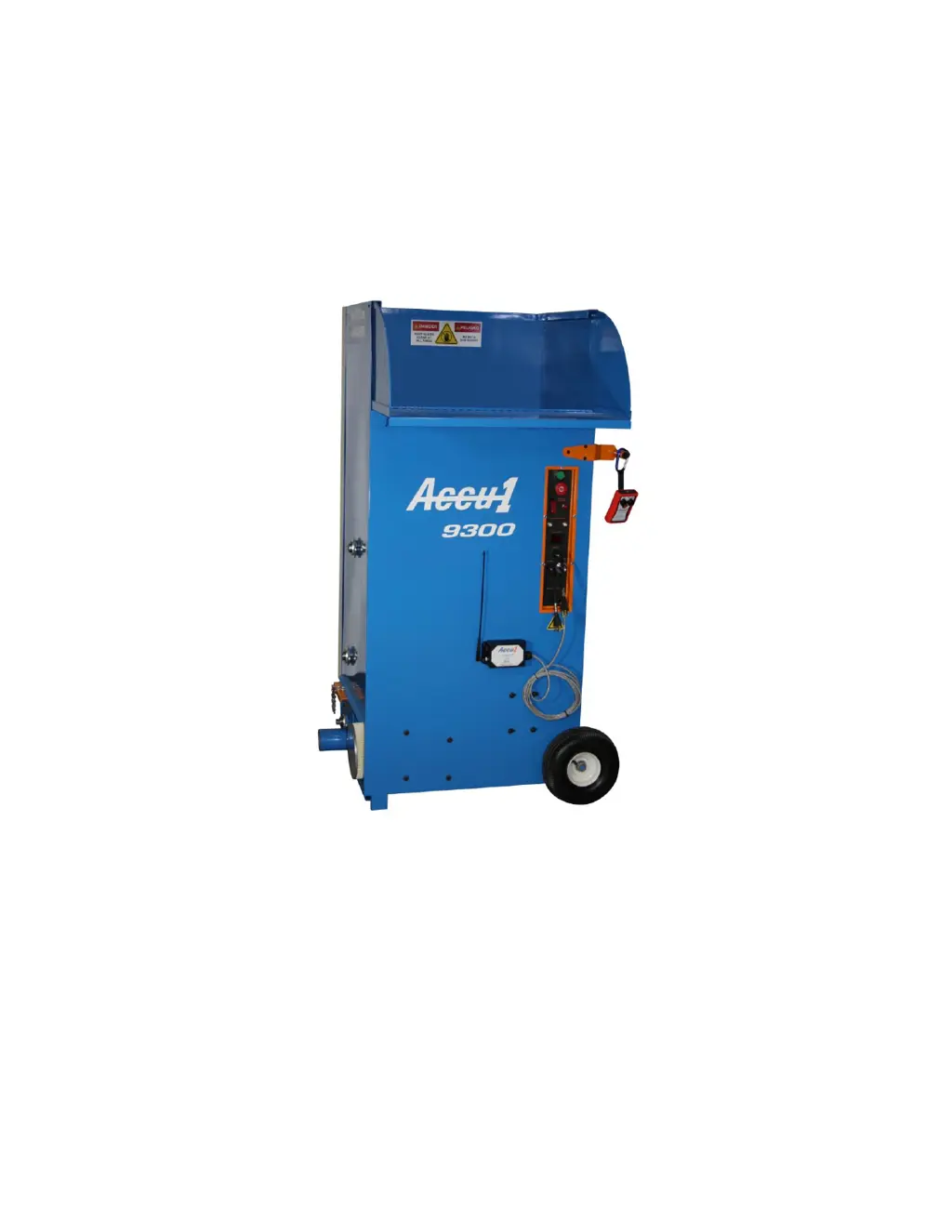
Owner’s Manual
Accu1
®
Model 9300
All-Fiber Insulation Blowing Machine
Manufactured By:
Accu1Direct. Inc.
138 Denslow Road
East Longmeadow, MA 01028
(T) 800-438-2776
(F) 413-224-1294
www.accu1.com

Questions and Answers

  • C
    Curtis MahoneyAug 5, 2025
    Why Accu1 Direct Power Tool machine will not run?
    • D
      don05Aug 5, 2025
      Several factors can prevent your Accu1 Direct Power Tool from running. First, ensure the power cord is plugged in. If it is, the power cord might be faulty and need replacement or repair. Check and reset any tripped circuit breakers. Also, make sure the green Start switch is fully depressed. Finally, a faulty remote or remote cord could be the issue, requiring replacement.
  • D
    Diane AdkinsAug 10, 2025
    What to do if Accu1 Direct Power Tool has low air flow?
    • J
      James WadeAug 10, 2025
      If your Accu1 Direct Power Tool has low airflow, consider these potential issues: The filter might be clogged and needs replacement. If the hose is too long, try shortening it. The blower control dial might be set too low, so increase the setting. An air leak into the hopper (blowback) could be the problem, requiring replacement of the airlock seals. Lastly, the hose between the blower and airlock might be damaged and need replacement.
  • S
    Summer Adams DDSAug 14, 2025
    What to do if Accu1 Direct 9300 Power Tool blower runs, but augers do not?
    • R
      Russell WeberAug 15, 2025
      If the blower runs, but the augers don't on your Accu1 Direct Power Tool, it could be due to several reasons. The drive motor thermal breaker might have tripped; try using 10/3 AWG power cords and reset the breaker after the motor cools down. There might be an obstruction in the hopper or airlock, so remove any blockage. A slipping drive belt could also be the cause, requiring replacement. Lastly, a faulty auger relay might need replacing.
  • D
    Diane MurphyAug 19, 2025
    What to do if Accu1 Direct Power Tool machine runs without moving material?
    • E
      emmastephensAug 20, 2025
      If your Accu1 Direct Power Tool runs but doesn't move material, check the following: Ensure the material slide gate is open to the proper setting. Inspect the blowing hose for clogs and remove any obstructions. Also, reduce the material feed. If running the machine without a filter, check for blockages between the blower and airlock. Finally, ensure the filter is in place.
  • A
    Adam WilsonAug 25, 2025
    How to troubleshoot remote that will not operate for Accu1 Direct 9300 Power Tool?
    • S
      Stephanie PerezAug 25, 2025
      If the remote for your Accu1 Direct Power Tool is not working, first ensure the green Start Switch is depressed. Check that the remote cord is properly plugged in. If the problem persists, the remote or its cord may be faulty and need replacement. Finally, a transformer failure could also be the cause, requiring replacement of the transformer.
  • S
    Samuel GardnerAug 29, 2025
    What to do if augers turn, but blowers don't run on Accu1 Direct 9300?
    • S
      Stacey WilliamsAug 29, 2025
      If the augers turn, but the blowers don't run on your Accu1 Direct Power Tool, the issue could be a faulty speed control, which would need replacing. Alternatively, a faulty blower relay might be the cause, also requiring replacement.

Summary

Warranty Information

Principles of Operation

Agitator and Shredder Function

Explains how the agitator and shredder break up insulation material within the machine.

Airlock Mechanism

Details the process of the airlock moving conditioned material through the blowing hose.

Maintenance Procedures

Daily Maintenance Checks

Checks for clogged filters and insulation build-up on motors and electrical components.

Weekly Maintenance Tasks

Checks belt tension and condition, ensuring proper operation.

Monthly Maintenance Tasks

Checks airlock seals for proper pressure and chain tension.

Safety Warnings and Precautions

General Safety Guidelines

Lists essential safety rules for operating the blowing machine.

Operating Instructions

Starting the Machine

Steps to connect power, attach the remote, and prepare for operation.

Hose Attachment

Instructions for connecting the blowing hose to the airlock exhaust pipe.

Stopping the Machine

Procedures for safely stopping the machine's operation.

Override Switch Usage

How to use the override switch when the control circuit has failed.

Machine Settings and Configuration

Open Blow Settings

Recommended settings for open blow application, including gate and air speed.

Wall Spray Settings

Recommended settings for wall spray application with different hose configurations.

Dense Packing Settings

Recommended settings for dense packing application, including gate and air speed.

Airlock Seal Change Instructions

Seal Replacement Steps

Initial steps and overview for replacing airlock seals, including tools required.

Troubleshooting Guide

Machine Not Running

Solutions for when the machine fails to start or operate.

Material Movement Issues

Troubleshooting steps for problems with material flow or clogging.

Low Air Flow Diagnosis

Diagnosing and resolving issues related to insufficient air output.

Remote Control Malfunctions

Solutions for when the remote control does not function correctly.

Auger and Blower Faults

Addressing operational problems with the auger or blower components.

Exploded Views and Parts Identification

Machine Parts List

Detailed list of all machine components with corresponding part numbers.

Exploded View Diagrams

Visual representations of machine parts and their assemblies.

Decals and Labels

Accu1 Direct 9300 Specifications

General IconGeneral
BrandAccu1 Direct
Model9300
CategoryPower Tool
LanguageEnglish