8
3. Operation Description (continued)
3.2 Watermark Verification Operation
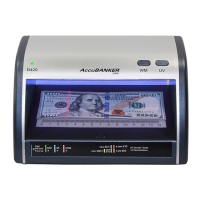
Press the WM function button to turn the WM screen ON. The entire inspection area
will be illuminated to make the bill’s analysis procedure easier and faster. Proceed to
verify the watermark features embedded in the bill, or document and confirm their
authenticity. The absence, displacement, or low quality of this feature will indicate
the bill is not genuine.
The internal timer will keep the WM ON for about 50 sec. If more time is needed to
finish the verification, you can press the WM button.
3.3 Magnetic Verification Operation (only for LED430 model)
Once the detector is turned ON, the magnetic circuitry is activated and will remain
on until the unit is turned off.
Proceed to rub the area of the bill that must contain magnetic ink against the
magnetic head. If the verification window flashes GREEN and BEEPS at the same
time, it confirms the Magnetic ink feature is present on the area just verified. In case
none of these signs are present, it means there is not MG ink in the scanned area.
3.4 Micro-Printing Magnifier (only for LED430 model)
Place the bill or document under the magnifier window. Proceed to inspect visually
the security features such as micro-printing elements and fine lines, embedded in the
bill or document. Any low-quality printing is a suspicious sign that must be
considered during the final decision.


 To Next Page