EasyManua.ls Logo

Accura GT06 - User Manual

Accura GT06
13 pages
Print Icon
To Next Page IconTo Next Page
Loading...
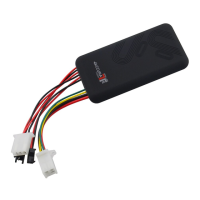
GPS TRACKER USER
MANUAL
GT06
PREFACE
Thank you for purchasing GPS tracker. This manual shows how to operate the
device smoothly in details, please make sure to read this manual carefully before
using the device. Please be noted that any update of the manual is made without
prior notice. Each time the update of the manual will be released in the latest
product sales. The manufacturer won’t assume any legal responsibility for any
Question and Answer IconNeed help?

Do you have a question about the Accura GT06 and is the answer not in the manual?

Summary

Preface

Hardware Description

Device Wiring Diagram

Important Notices

Quick Using Guide

SMS Message Parameters Explanation

Explains the parameters and codes received in SMS messages from the GPS tracker.

Website and APP Tracking Support

Download Companion Mobile App

Instructions for scanning a QR code to download and install the companion mobile app.

Login Platform for Positioning

Guide to logging into the platform for device positioning using IMEI and default password.

Set SMS Commands

FAQ and Troubleshooting

Deaoke GT06 Specifications

Administrator Account and Multiple Device Registration

Instructions for registering an administrator account and adding multiple devices for tracking.

Configure Alternative Tracking Platform

Guidance on setting up the device to use an alternative tracking platform by configuring IP and port.

Accura GT06 Specifications

General IconGeneral
Bands850/900/1800/1900MHz
Tracking sensitivity-159dBm
Waterproof RatingIP65
GPRSClass 12
GPS ChipMTK