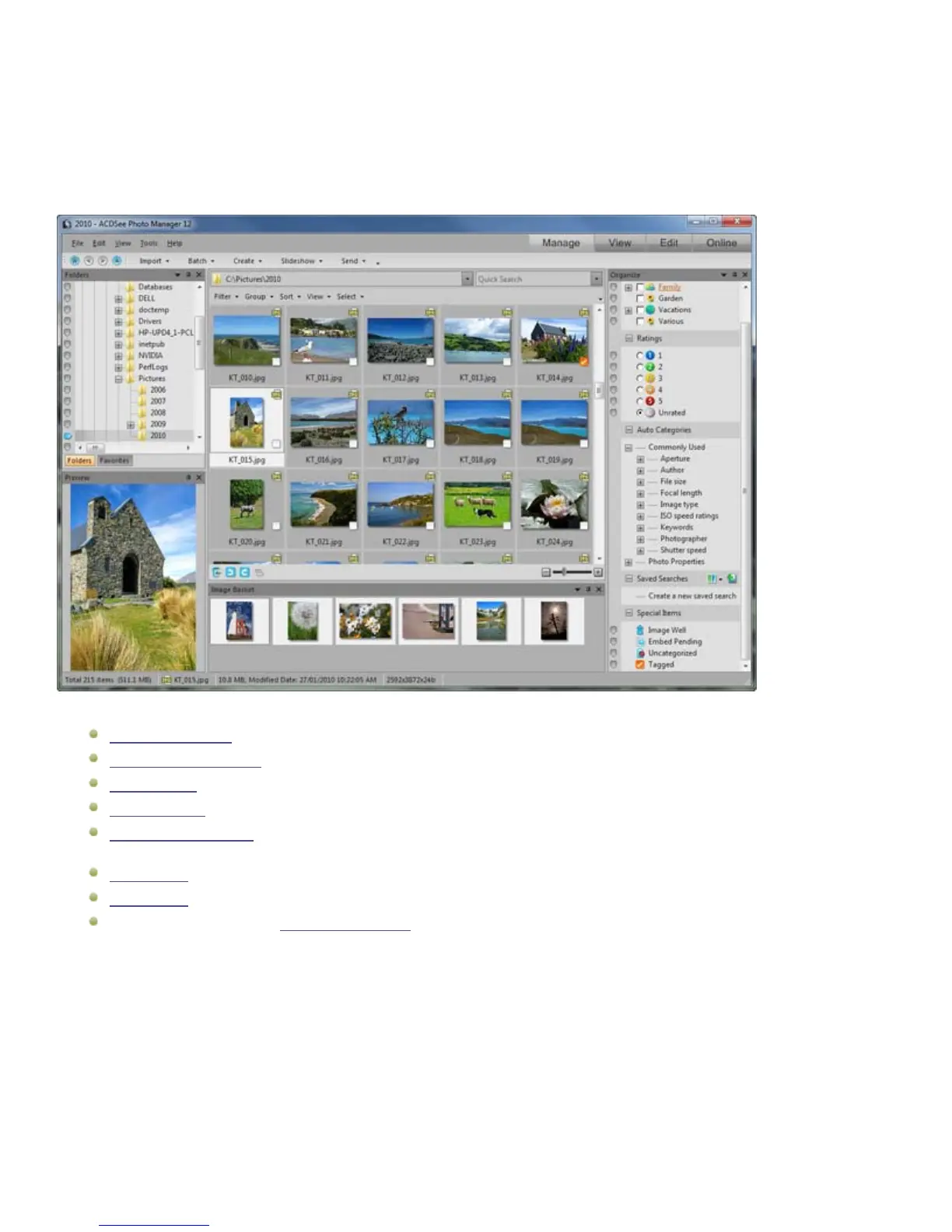
Chapter 3: Manage mode
Chapter 3: Manage mode
Manage mode is the main browsing and managing component of the user interface, and is what you see when you start ACDSee 12
using the shortcut icon on your desktop.
In Manage mode, you can:
Import your photos from a device, CD or DVD, disk, or scanner.
Browse files and folders.
Organize files by tagging them, adding categories, keywords and other metadata.
Search for files and create saved searches.
Publish and share files, including emailing files, creating slideshows, burning files to CD or DVD, and uploading images to
your favorite photo Web site.
Print images.
Edit batches of files.
Manage and maintain your ACDSee 12 database.
Importing photos
Importing files with ACDSee 12
You can use ACDSee 12 to download images from devices like your digital camera, flash drives, CD/DVDs, scanners, mobile phones,
or other removable devices. In Manage mode, you can also use the File | Import | From Disk option to import files from a network,
and any kind of disk or drive that can be mapped, while preserving the original folders and subfolders.
You can also use ACDSee 12 to capture images of your screen and save them as files.
17


 To Next Page