ACE124
Reinstallation:
Step 6: The fan is to be installed over the rear vent openings.
Align your new fan over the rear vent openings, aligning the
screw holes on the fan with the screw holes on the chassis.
Step 7: From the rear of the case, insert the 4 screws, in the
location noted below, to secure the fan to the chassis.
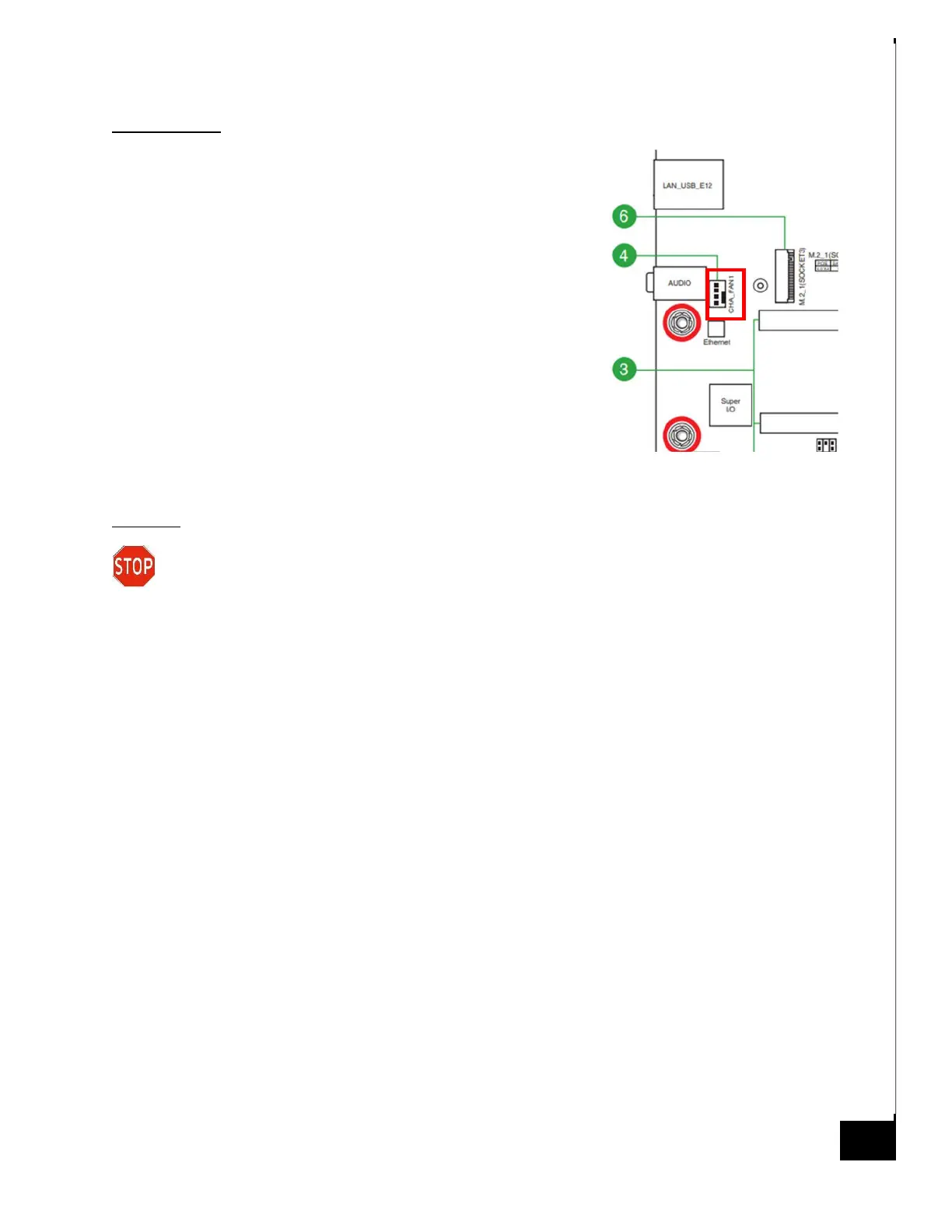
Step 8: Connect the fan header cable to the motherboard for
power, CHA_FAN1 (see motherboard diagram for reference).
Disposal:
Selective Treatment/Special Handling Per Annex VII, Directive 2012/19/EU: Any plastic
components within the heatsink fan must be removed separately due to the presence of
brominated flame retardants and shall be disposed or recovered in compliance with Directive
2008/98/EC.



 To Next Page