Data Storage Devices
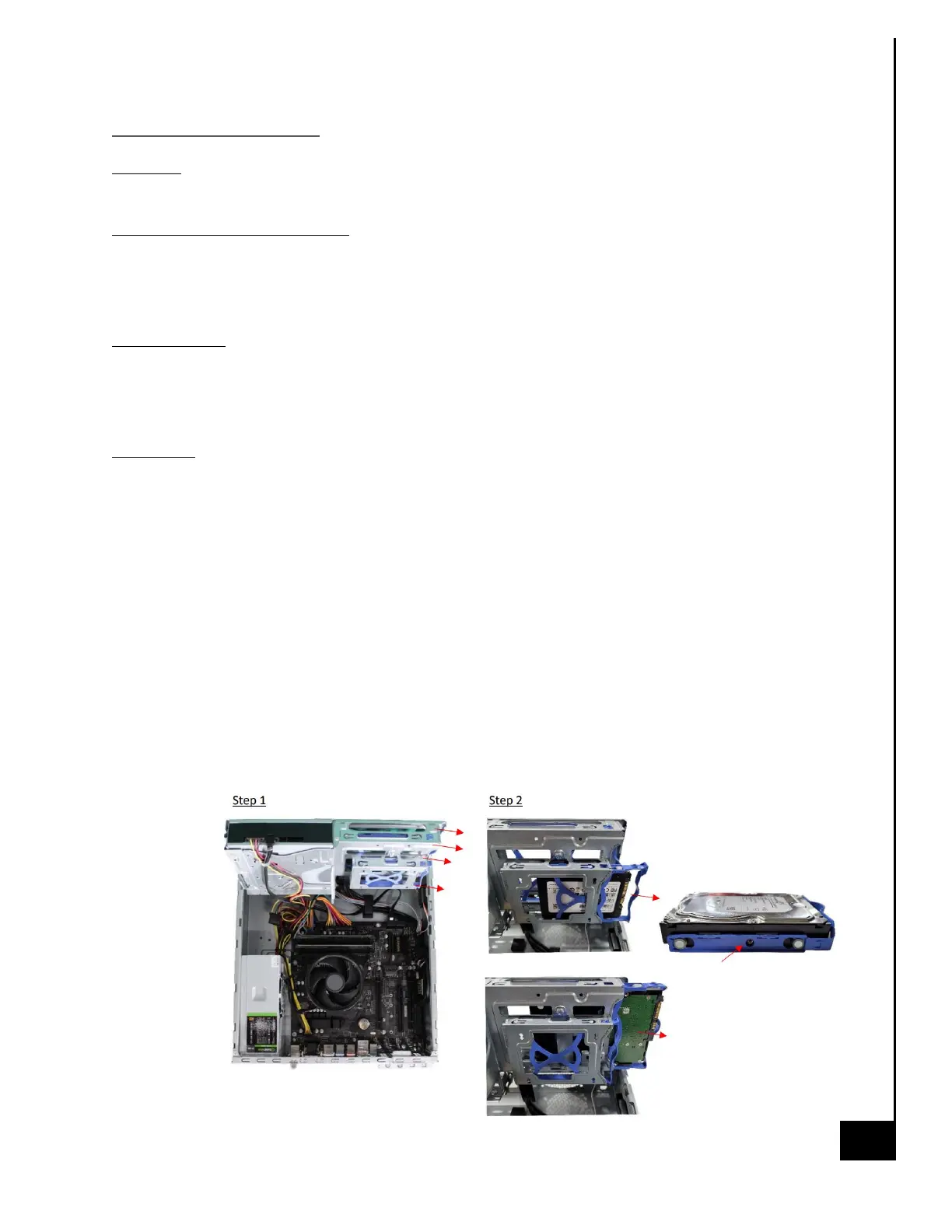
Location: The Vision Series desktop has the option to utilize both spinning hard drives (HDD) and
M.2 SSD storage devices. The storage devices are located as indicated in Figure 1.
Type and number of fastenings:
HDD 2.5” = One (1) latch and (2) Phillips screws, HDD 3.5” = (1) latch (4) Phillips screws.
SSD = (1) Phillips screw.
Tools required:
HDD = Screwdriver with PH2 bit
M.2 SSD = Screwdriver with PH1 or smaller bit.
Procedure:
HDD Carriage Mount
Step 1: Ensure the desktop is off, unplugged, and any potential energy is dissipated.
Step 2: Remove the top panel from the chassis as indicated in the “Chassis Cover” section of this
manual.
Step 3: Lift chassis carriage into the upright position.
Note: Both the 2.5” and 3.5” have the same basic steps for removal and reinstallation.
Step 4: Pull the blue carriage tray at the center, semi-circle shape, this will disengage the
interference clips on the main chassis carriage.
Step 5: Once the blue carriage tray is removed, the Phillips screws are accessible and can be
removed.



 To Next Page