Fans
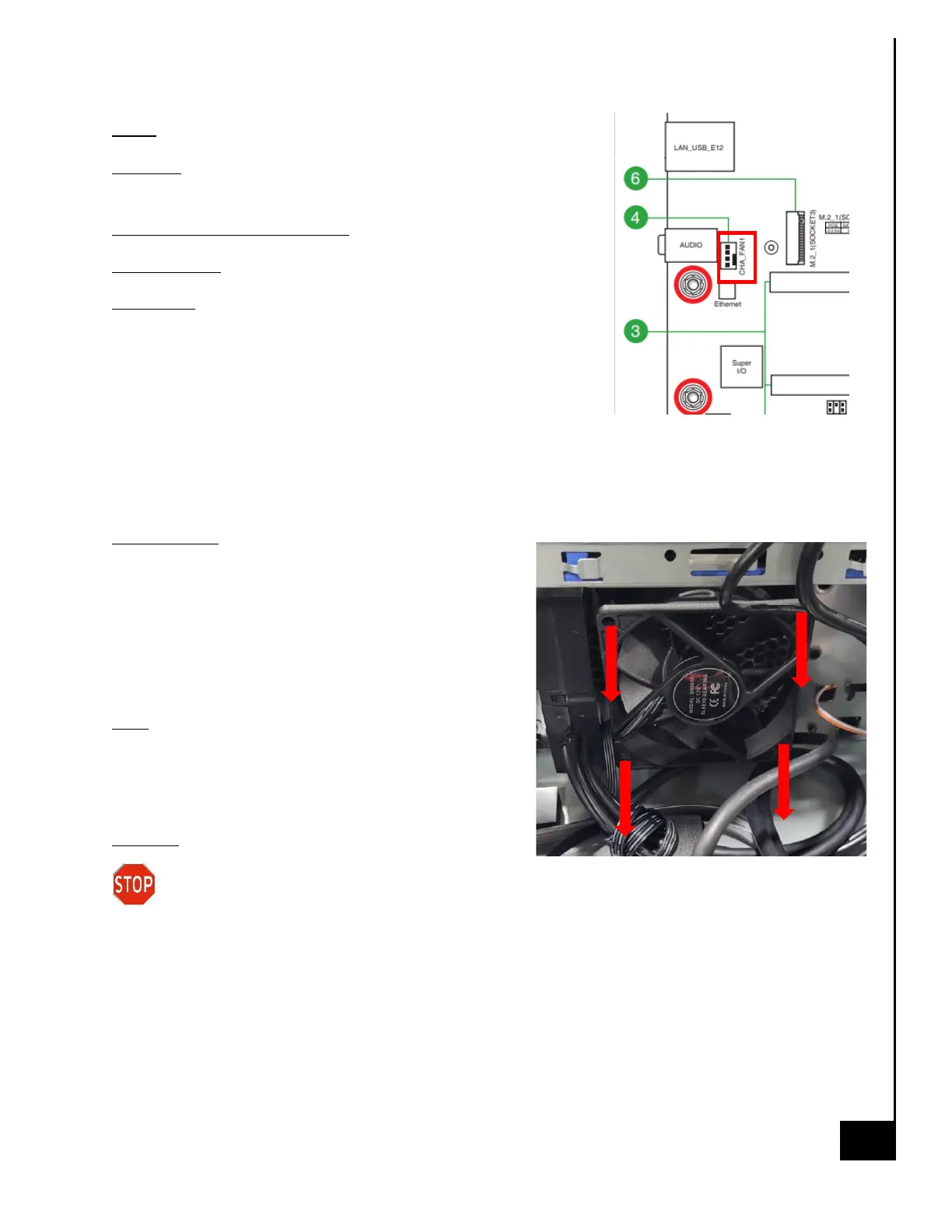
Location: The chassis fan in the Vision Series model is located at
the front of the chassis underneath the SATA bays.
Type and number of fastenings: Four (4) rubber mounting pins
Tools required: None
Procedure:
Step 1: Ensure the computer is off, unplugged, and any potential
energy is dissipated.
Step 2: Remove the side panel from the chassis as indicated in the
“Chassis Cover” section of this manual.
Step 3: Disconnect the fan wiring from the fan header on the motherboard.
Step 4: Pull each corner of the fan until it breaks free from the chassis
Reinstallation:
Step 6: Align fan and rubber tabs with 4 screw holes on chassis
and pull each rubber tab through the screw hole until the fan is
secured to the front chassis frame.
Step 7: Plug fan header on motherboard.
Note: Sometimes the rubber mounting pins stick to the chassis.
If that's the case, pull them off the chassis and reinstall them
on the fan screw holes. Then proceed with step 6.
Disposal:
Selective Treatment/Special Handling Per Annex VII, Directive 2012/19/EU: Any plastic
components within the heatsink fan must be removed separately due to the presence of
brominated flame retardants and shall be disposed or recovered in compliance with Directive
2008/98/EC.



 To Next Page