Expansion Cards/ Graphics Cards
Location: Certain configurations of desktops may include expansion and/or graphics cards. These
can be found in the lower, left-hand corner of the Vision Series configuration. The cards are
electrically connected to the motherboard via PCIe slots, and physically connected to the case.
Type and number of fastenings: One or two Phillips screws.
Tools required: Screwdriver with PH2 bit.
Procedure:
Step 1: Ensure the desktop is off, unplugged, and any potential energy is dissipated.
Step 2: Remove the side panel from the chassis as indicated in the “Chassis Cover” section of this
manual.
Step 3: Remove the Phillips screws from the rear of the case.
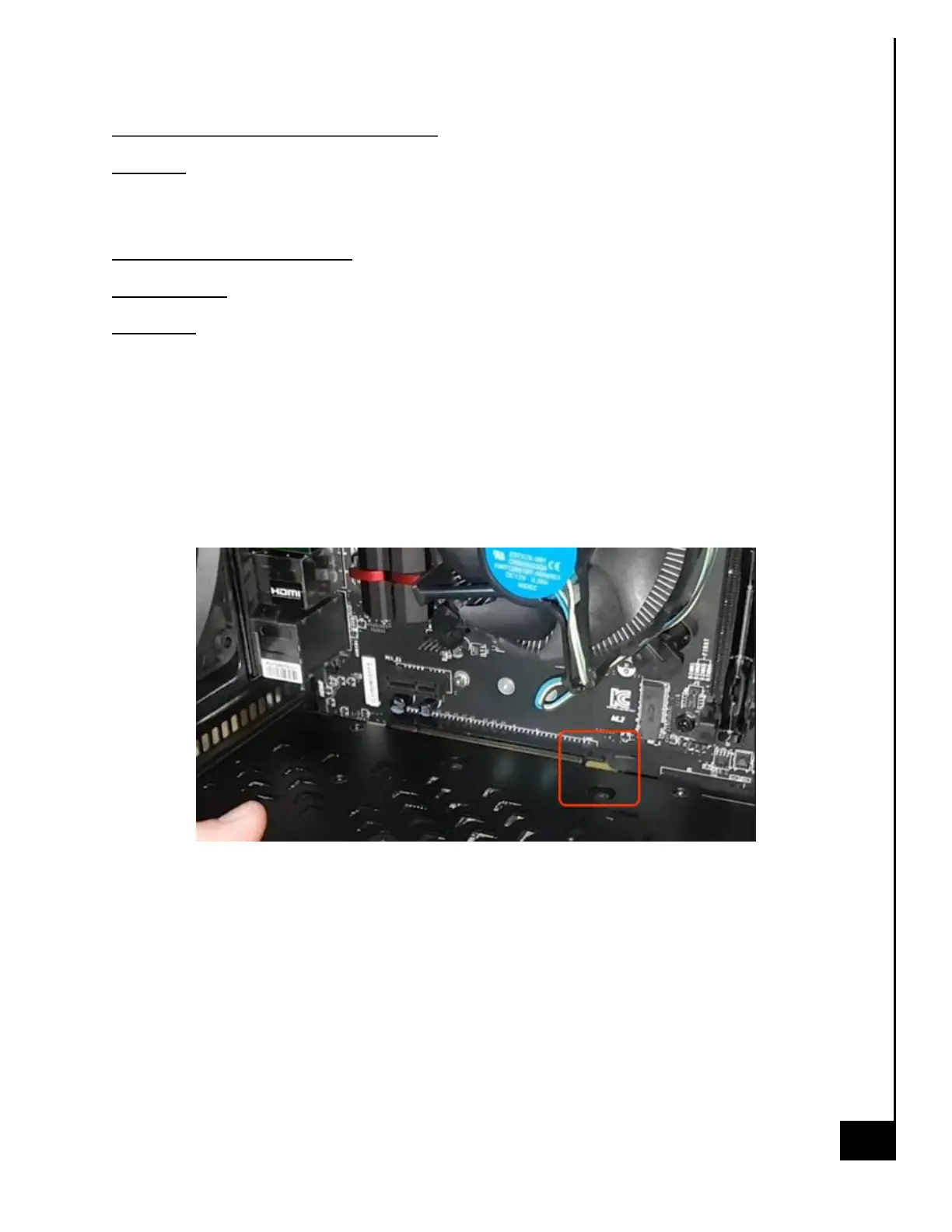
Step 4: Disengage the retaining latch on the PCIe slot (see photo below). This is a critical step and
if not done may damage the slot.
Step 5: With firm, gentle force, pull the card, perpendicular to the motherboard, out of the
attaching PCIe socket. Be careful not to bend the card while still engaged in the PCIe slot.
Reinstallation
Step 6: Install the card into the PCIe 16x slot, making sure the latch “clicks”.
Step 7: Add screw to the card bracket securing the card to the chassis.



 To Next Page