Fans
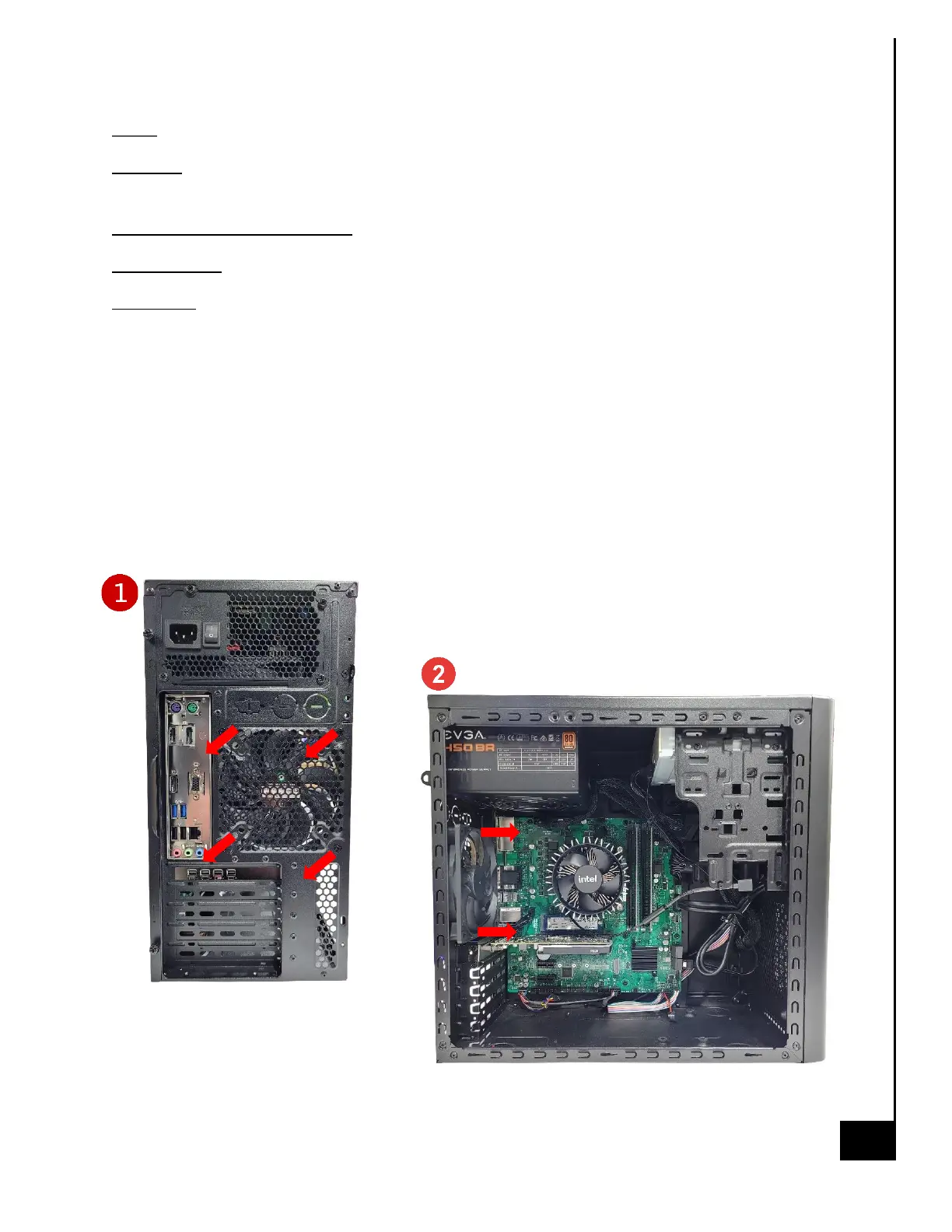
Location: The chassis fan in the Vision Series model is located at the rear of the chassis below the
power supply.
Type and number of fastenings: Four (4) Phillips Screws.
Tools required: Phillips Screwdriver.
Procedure:
Step 1: Ensure the computer is off, unplugged, and any potential energy is dissipated.
Step 2: Remove the side panel from the chassis as indicated in the “Chassis Cover” section of this
manual.
Step 3: Disconnect the fan wiring from the fan header on the motherboard.
Step 4: Remove the four Phillips screws from the rear of the chassis.
Step 5: From inside the chassis gently remove the fan from the case.



 To Next Page