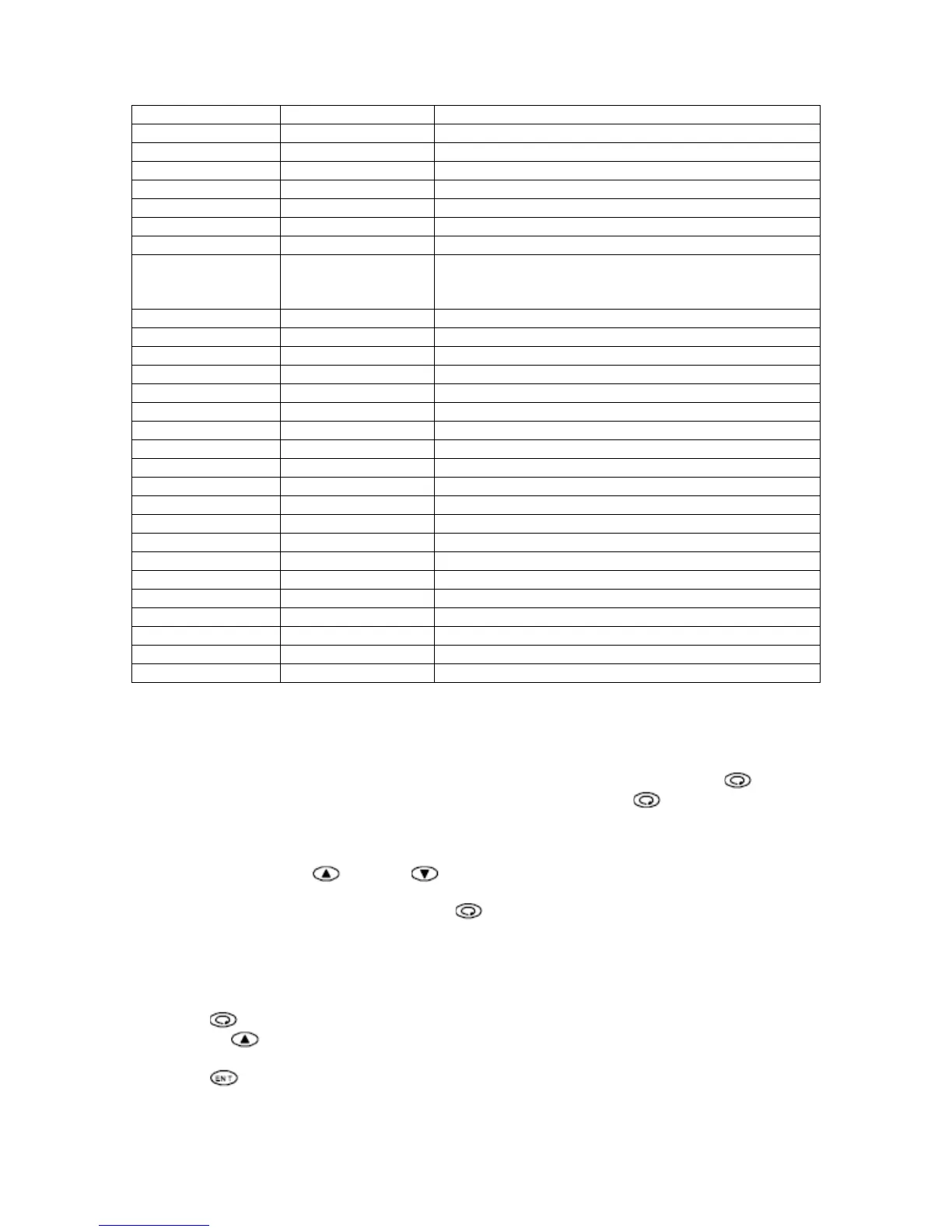
Upper Display Lower Display Description
PArA Set Setup Mode initial screen
KLc oFF Key lock setting
P 20.0 Output proportional band setting
I 20.0 Output integral time
D 5 Output derivative time
Mr 0.0 Output manual reset
SF 0.40 Output target value function
* o_L * 0.0 or 20.0 Output lower limit
Units with Siemens Valve – 0.0
Units with Amuract Valve – 18.0 ~ 20.0
o_H 100.00 Output high limit
StEV oFF Event at Standby
* E1_m * Hd High deviation alarm
E1_d 5 High alarm differential
E1_i 1 High alarm event standby action
* E2_m * Ld Low deviation alarm
E2_d 5 Low alarm differential
E2_i 1 Low alarm event standby action
* Act * rA Reverse acting control
SoFt oFF Soft start time
SV_L 40.0 Setpoint lower limit temperature
SV_H 180.0 Setpoint high limit temperature
PV_b 0 Outlet temperature bias value
PV_F 0 Outlet temperature filter time
* rAnG * 34 Temperature sensor and measuring range
Unit F Temperature unit
* Sc_L 0.0 Input scale lower limit
* Sc_H 400.0 Input scale high limit
Scdp 0.0 Input decimal point position
* Disp * Pb Temperature display at standby
Table 2 - Setup Mode Parameters
Manual Modulation Output Control
To switch between auto and manual modulation control can be done by pressing the
button
to scroll through the Operation Mode to the OUTPUT screen. Press the
button continuously
for 3 seconds to enter manual modulation control.
In manual tuning mode, the MAN lamp flashes to confirm control is in Manual Modulation Output
Control. By Pressing the
button or button from the output screen, adjust the output
signal.
To return to auto modulation mode, press the
button continuously for 3 seconds.
Auto Tuning
In Auto Tuning Mode, the controller operates to compute PID parameters. PID computing time
differs depending on installation.
Executing Auto Tuning
Press the
button to scroll through the Operation Mode to the auto tuning (AT) screen.
Pressing the
button to change lower display from OFF to ON. When setting is changed,
decimal point on the bottom display flashes.
Press the
button to confirm the new setting. Decimal point on the lower display stops
flashing and auto tuning will start.


 To Next Page
 Loading...