Page 11
REGULATION MENU
Press the ENTER key while at the Home Display in order to access the
Regulation Menu. Pressing the INDEX key will cycle through the below menu
items. The parameter will be displayed in the top display, while its value will
be displayed in the bottom display. The UP and DOWN arrows change the
values of the parameters. The ENTER key must be pressed after any
changes.
Auto Tune. The controller will evaluate the process and select
the PID values to maintain good control. Only available when
the control mode is set to PID.
Start learning the process. After the process has been learned
the menu will revert to oFF.
Disables Auto Tune.
Proportional Band Setting.
Integral time (reset time).
Derivative time (rate time).
PD Offset Correction Setting. only available when control
mode is set to PID and integral time = 0. See Programming
and Operation of PID function for moving information.
Integral Deviation Offset Correction associated with
each PID Profile. (n = 0 to 4).
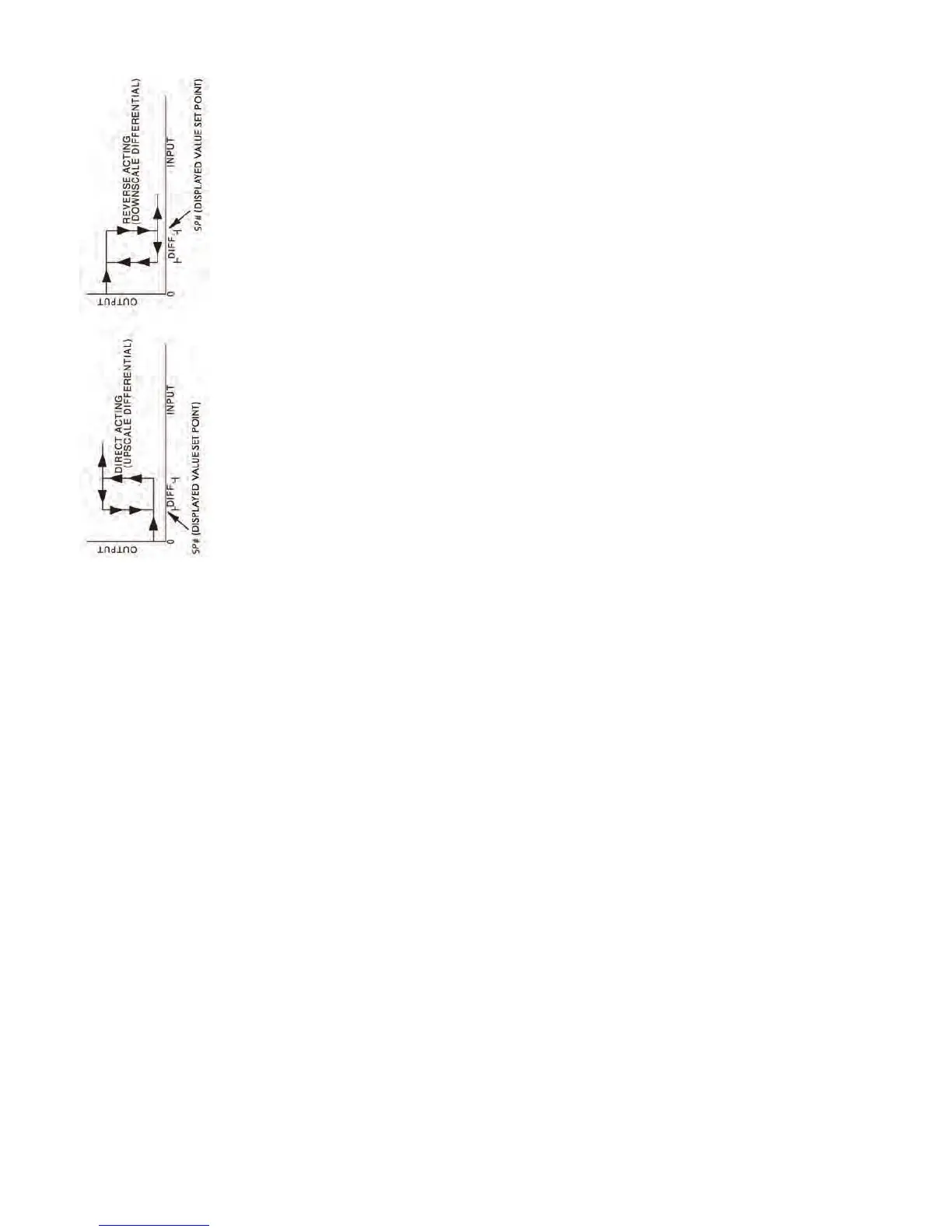
Heating Hysteresis (Differential) Setting. Sets the value for the
amount of difference between the turn off point (set point) and
the turn on point. Figure A shows the output behavior for a
heating (reverse acting) application. Only available when
control mode set to on/off control.
Cooling Hysteresis (Differential) Setting. Sets the value for the
amount of difference between the turn off point (set point) and
the turn on point. Figure A shows the output behavior for a
cooling (direct acting) application. Only available when control
mode set to on/off control.
AT
on
oFF
P
i
d
PdoF
ioFn
HtS
CtS
Page 12
Figure A: Output behavior for Heating/Cooling On/Off Applications
Heating Control Cycle Setting. Defines the duration for one
output period or cycle for output 1. Only available when control
mode is set to PID and Output 1 is set for heating.
Cooling Control Cycle Setting. Defines the duration for one
output period or cycle for output 1. Only available when control
mode is set to PID and Output 1 is set for cooling.
Process Temperature Offset. This feature allows the
input value to be changed to agree with an external
reference or to compensate for sensor error.
Analog Output High Limit: Sets the actual upper limit of the
analog output when the control’s output is operating at 100%.
Only available for analog output models.
Analog Output Low Limit. Sets the actual lower limit of the
analog output when the control’s output is operating at 0%.
Only available for analog output models.


 To Next Page
 Loading...