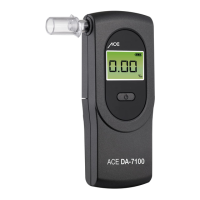
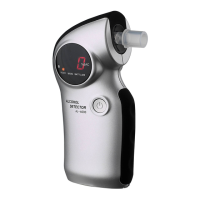
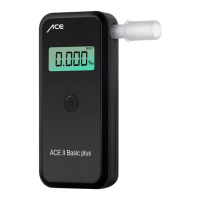
ACE DA-7100 Breathalyzer
Quick Start Guide – EN
(please read the manual for further details)
Conducting the measurement
1. Push the battery cover on the back of the device downwards and install the
2 AAA batteries.
2. Insert a mouthpiece into the slot on the left front side of the breathalyzer.
3. Push the power button on the front of the device.
4. Wait until the end of the countdown you hear 2 beep tones and then you see “0”.
5. As soon as you can see “0”, start blowing into the mouthpiece. Tip: Blow like you
would whistle (without a break). The device will start beeping when you start blowing.
6. Keep blowing steadily until the beeping stops and you hear a double beep sound.
If the breath sample was not sufficient you will see „FLo“ on the display. Push the start
button and start a new test.
7. After a successful test the result is displayed after a few seconds. The test result is
shown as 3 digit readout of your blood alcohol level in ‰ (per mill = EU setting) OR
mg/L (= UK setting) OR % BAC (= US setting). If the test result is higher than 0.50‰
or 0.25mg/L or 0.05% BAC then you can hear a warn signal (beep sound) for about
10 seconds.
Please note
Wait at least 15 minutes after finishing your last drink, otherwise residual alcohol in
your oral cavity will falsify the result.
From hygiene reasons and for accurate measurement results always use a new
mouthpiece for each test.
The default measurement setting for EU is per mill, for UK it is mg/L and for the USA
it is % BAC.
All measured values determined by this breathalyzer are always a guide only and
are not legally binding.
Label of individual components
1. Mouthpiece and Mouthpiece Slot
2. Power Button
3. Digital LED Display (3 digits with unit ‰ and mg/L and 4 digits with unit % BAC)
4. Battery Compartment Cover (at the back of the device)
5. Air Outlet (always keep this part unblocked)
4
3
1
2
5


 To Previous Page
 Loading...