EasyManua.ls Logo

Ace 300 User Manual

Ace 300
2 pages
To Next Page IconTo Next Page
Page #1 background imageLoading...
Page #1 background image
2
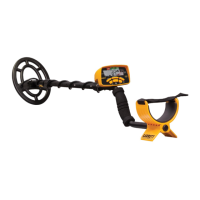
Garrett Metal Detectors ACE 300™
3
QUICK START GUIDE
1. Power ON.
Press and release the ON / OFF Power button. The ACE 300
powers on in the last mode used, automatically adjusts for
ground minerals and is ready to search. The detector
operates with four (4) AA batteries which are already
installed by Garrett. (Factory default mode is Coins.)
2. Select Mode.
Use the Mode button to select a different detection mode,
when desired.
3. Adjust settings.
Adjust Sensitivity or Discrimination settings, if desired.
4. Begin scanning.
Lower the searchcoil to approximately 1 inch above the
ground and scan the coil left and right at approximately
3 ft/second. The coil must be in motion for target
detection, but can remain stationary during Pinpoint.
ACE 300 CONTROL PANEL
Sensitivity
Setting
DISCRIM and Accept/Reject
Buttons
Use DISCRIM (+) or (-) to select a
cursor. Then use (/X) button to set
its discrimination on or off.
Frequency Adjust
While holding down (/X) button,
use DISCRIM (+) or (-) to increase
or decrease frequency setting.
SENSITIVITY
Button
increases or
decreases sensitivity.
MODE
Button
selects detection mode (i.e.
discrimination pattern).
Power ON / OFF:
hold 1 second to turn
power on/off.
Depth
Indicator
indicates depth
of coin-sized
target.
Mode
Indicator
Target ID Legend
indicates metal types.
Lower Scale
indicates notch
discrimination
pattern.
Target ID Cursor
indicates probable target identity.
PINPOINT
Button
Press and hold to
precisely locate a target.
Digital
Target ID
Battery
Level
Indicator
Question and Answer IconNeed help?

Do you have a question about the Ace 300 and is the answer not in the manual?

Ace 300 Specifications

General IconGeneral
BrandAce
Model300
CategoryControl Panel
LanguageEnglish

Summary

ACE 300 Control Panel Overview

Target ID Legend

Indicates the types of metals detected by the detector.

Target ID Cursor

Displays the probable identity of a detected target.

Lower Scale

Shows the notch discrimination pattern for detected metals.

Depth Indicator

Estimates the depth of coin-sized targets.

Mode Indicator

Indicates the currently selected detection mode.

Control Buttons and Settings

Covers MODE, SENSITIVITY, DISCRIM, and Frequency Adjust functions.

Power and Pinpoint Functions

Details the Power ON/OFF and PINPOINT button operations.

Battery Level Indicator

Displays the current status of the detector's batteries.

Quick Start Guide

Power On Procedure

Instructions on how to turn the metal detector on.

Mode Selection

Guide on selecting the appropriate detection mode.

Adjusting Settings

Steps for adjusting Sensitivity and Discrimination.

Scanning Technique

Recommendations for effective coil scanning speed and height.

ACE 300 Contents and Assembly

Detector Components

Lists all included parts such as searchcoil, control housing, and manual.

Assembly Instructions

Step-by-step guide for connecting the searchcoil and stems.

Arm Cuff Adjustment

Guidance on adjusting the arm cuff for user comfort.