10 Aceletiqs Align Ball Storage Rack Assembly Guide & User Manual 11
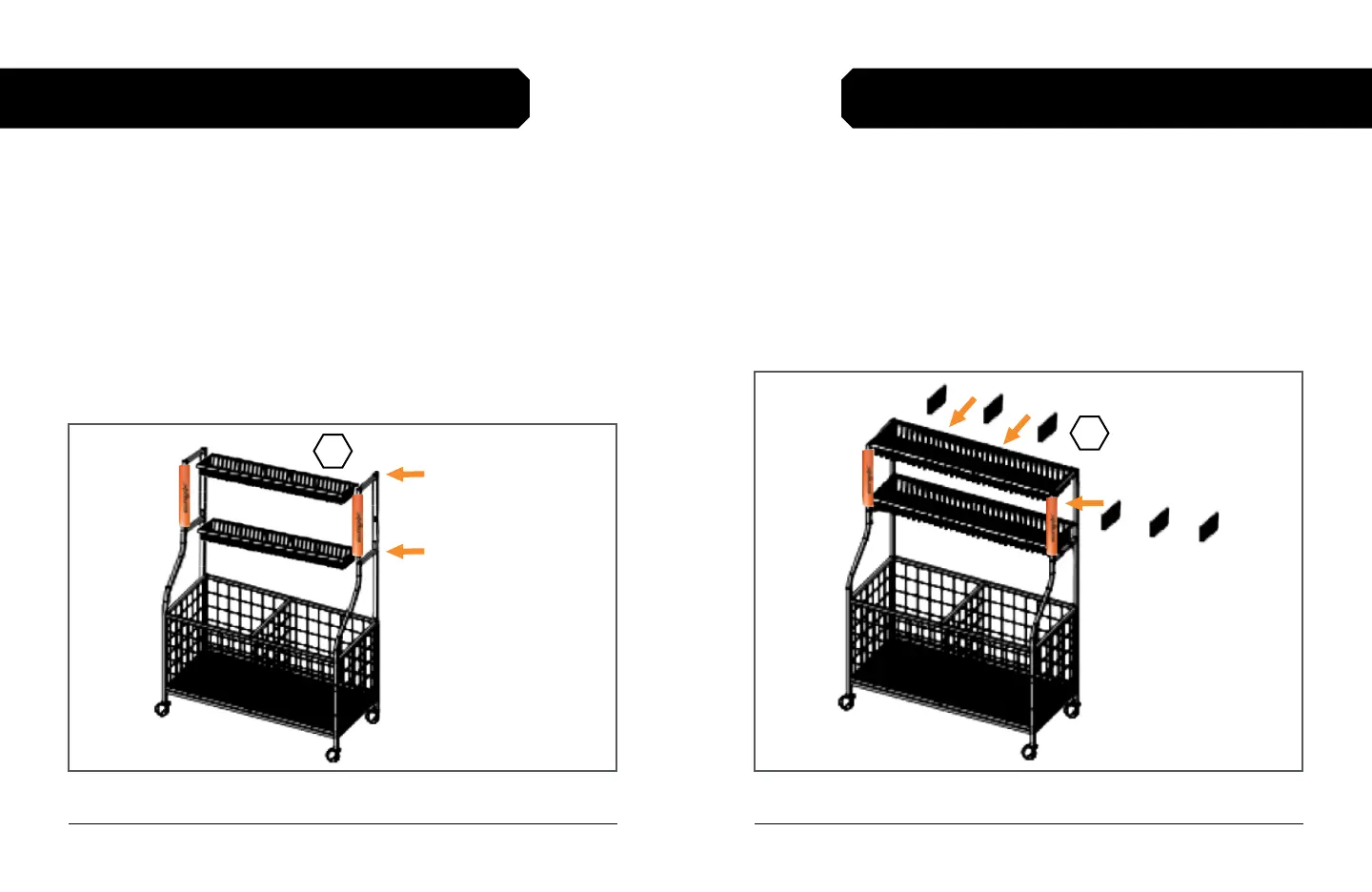
Figure 6. Insert the basket dividers
9-MINUTE ASSEMBLY GUIDE 9-MINUTE ASSEMBLY GUIDE
STEP 6: INSERT THE BASKET DIVIDERS
1. Gather the six basket dividers, labeled [8].
2. Use three dividers to section each basket. See Fig. 6.
a. Slot both ends the divider onto a single wire segment.
b. Space the dividers evenly across each basket.
STEP 5: ATTACH THE BASKETS
1. Gather the two wire-mesh baskets, labeled [7].
2. Use four long M6×24mm screws to attach a basket to the upper
sidebar of the rack. See Fig. 5.
a. Screws insert from the sides (on the outside) of the frame.
3. Use the hex key to fully tighten the screws.
4. Repeat 2–3 above to attach the second basket to the lower
sidebar.
Figure 5. Attach the wire-mesh baskets
8
7
Upper sidebar
Lower sidebar



 To Next Page