EasyManua.ls Logo

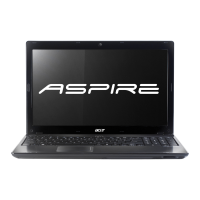
Acer ASPIRE 5251 - User Manual

Acer ASPIRE 5251
313 pages
Print Icon
To Next Page IconTo Next Page
Loading...
English
Français
Deutsch
Italiano
Español
Português
Nederlands
Norsk
Dansk
Svenska
Suomi
Русский
Polski
Magyar
Čeština
Slovenčina
Slovenski
Hrvatski
Română
Български
Eesti
Latviski
Lietuviškai
Ελληνικά
Türkçe
日本語
한국어
繁體中文
简体中文
Bahasa Indonesia
ä·Â
Contents

Other manuals for Acer ASPIRE 5251

Questions and Answers

  • R
    Rhonda MunozAug 12, 2025
    How to fix Acer ASPIRE 5251 Laptop that won't turn on?
    • J
      Joseph OrtegaAug 12, 2025
      If your Acer Laptop isn't powering on, ensure the power cable is securely connected to both the laptop and the electrical outlet. Try removing any extension cables or surge protectors and plug the laptop directly into a known good outlet. You can also disconnect the power, open the casing, and check for obstructions in the Thermal Unit and fan airways. Also, remove all external and non-essential hardware and any recently installed software.
  • C
    Craig BarnesAug 16, 2025
    How to troubleshoot sound problems on Acer ASPIRE 5251?
    • J
      Jonathan GrossAug 16, 2025
      To troubleshoot sound issues on your Acer Laptop, begin by rebooting the computer. Check the Device Manager to confirm the audio device is properly installed. If you recently updated the audio driver, roll it back or remove and reinstall it. Make sure all volume controls are set to mid-range. Navigate to Start > Control Panel > Hardware and Sound > Sound, and ensure Speakers are selected as the default audio device. Select Speakers and click Configure to start Speaker Setup. Remove any recently installed hardware or software. Restore system and file settings from a known good date using System Restore.
  • K
    Kathleen WellsAug 19, 2025
    What to do if my Acer ASPIRE 5251 has no display?
    • B
      Billy JohnsonAug 19, 2025
      If your Acer Laptop screen is blank, first ensure the internal display is selected by pressing Fn+F5. Check that the laptop has power by observing if the fans start or the status LEDs light up. Try draining any stored power by removing the power cable and battery, then holding the power button for 10 seconds. Reconnect the power and reboot. Also, try connecting an external monitor using Fn+F5. Disconnect all external devices, memory cards, and CD/DVD discs before restarting. Reseat the memory modules and remove the drives.
  • A
    Aaron HuertaAug 23, 2025
    Why is my Acer ASPIRE 5251 Laptop video display abnormal?
    • M
      Michele BatesAug 23, 2025
      If you're experiencing an abnormal video display on your Acer Laptop, start by rebooting the computer. Adjust the brightness to its highest level and verify the display resolution is correctly configured. If you recently updated the video driver, roll it back to the previous version or try removing and reinstalling it. Also, check the Device Manager to ensure the device is properly installed. If you see permanent lines or dark spots, or extensive pixel damage, the LCD may be faulty and require replacement.
  • D
    Diana PonceAug 27, 2025
    What to do if HDD is not operating correctly on Acer Laptop?
    • B
      blake25Aug 27, 2025
      If the HDD on your Acer Laptop isn't operating correctly, start by disconnecting all external devices. Run a complete virus scan using up-to-date software. Try running the Windows 7 Startup Repair Utility. Restart the computer and press F2 to enter the BIOS Utility to check the BIOS settings. Ensure all cables and jumpers on the HDD and ODD are set correctly. Remove any recently added hardware and associated software. Run the Windows Disk Defragmenter.
  • J
    Jacqueline CrosbyAug 31, 2025
    Why does my Acer ASPIRE 5251 randomly lose BIOS settings?
    • R
      Robert Jones MDAug 31, 2025
      If your Acer Laptop is randomly losing BIOS settings, and the computer is more than one year old, replace the CMOS battery. Run a complete virus scan using up-to-date software. If you're experiencing HDD or ODD BIOS information loss, disconnect and reconnect the power and data cables between devices. If HDD information is missing from the BIOS, the drive may be defective and should be replaced. Replacing the Motherboard may also resolve the issue.
  • D
    Daniel CurrySep 3, 2025
    How to fix microphone problems on Acer ASPIRE 5251?
    • J
      Jenna WhiteSep 3, 2025
      To resolve microphone problems on your Acer Laptop, first check that the microphone is enabled. Right-click on the Recording tab and select Show Disabled Devices. The microphone should appear on the Recording tab. Increase the volume to the maximum setting and click OK. Select the microphone and click Configure.
  • F
    Frank MartinSep 7, 2025
    What to do if Acer ASPIRE 5251 Laptop ODD fails?
    • C
      Carmen DonaldsonSep 7, 2025
      If your Acer Laptop's ODD (Optical Disc Drive) is failing, reboot the computer and retry the operation. Try using an alternate disc. Navigate to Start > Computer and check that the ODD device is displayed in the Devices with Removable Storage panel.

Summary

Your Acer Notebook Tour

Top View

Details the webcam and display screen components of the notebook.

Acer ASPIRE 5251 Specifications

General IconGeneral
Hard Drive Speed5400 RPM
Display Size15.6 inches
Display Resolution1366 x 768 pixels
Operating SystemWindows 7 Home Premium
NetworkingWi-Fi 802.11b/g/n, Ethernet
Storage500 GB
GraphicsAMD Radeon HD 4250
Battery6-cell Li-ion
Weight2.6 kg
Optical DriveDVD Super Multi DL

Related product manuals