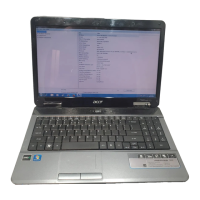
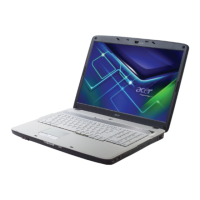
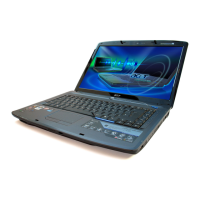
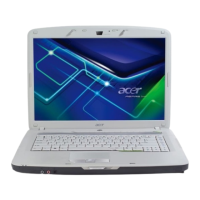
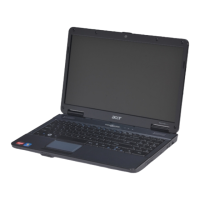
This document is a Quick Guide for the Acer Aspire 5534 Series Notebook PC, providing an overview of its features, functions, and specifications.
The Aspire 5534 Series is a notebook PC. To help users, Acer provides a set of guides:
- Just for Starters... poster: Helps with initial setup.
- Aspire Generic User Guide: Contains general information applicable to all Aspire models, covering basic topics like keyboard and audio usage. It notes that some features mentioned might only be present in specific models within the series.
- Quick Guide (this document): Introduces basic features and functions.
- AcerSystem User Guide: Provides detailed information on system utilities, data recovery, expansion options, troubleshooting, warranty information, and safety notices. This guide is preloaded on the notebook in Portable Document Format (PDF) and can be accessed via Start > All Programs > AcerSystem > AcerSystem User Guide. Viewing the PDF requires Adobe Reader; if not installed, clicking the guide will initiate the Adobe Reader setup program.
Top View Components:
The top view of the notebook includes:
- Acer Crystal Eye webcam (1): A web camera for video communication (only for certain models).
- Microphone (2): Internal microphone for sound recording.
- Display screen (3): Also known as Liquid-Crystal Display (LCD), it displays computer output. Configuration may vary by models.
- Power button / indicator (4): Turns the computer on and off, and indicates the computer's power status.
- Keyboard (5): For entering data into the computer.
- Touchpad (6): A touch-sensitive pointing device that functions like a computer mouse.
- Click buttons (left and right) (7): Function like the left and right mouse buttons.
- Palmrest (8): Provides a comfortable support area for hands during computer use.
- Wireless LAN communication button/indicator (9): Enables/disables the wireless LAN function and indicates its status.
- Touchpad toggle (9): Turns the internal touchpad on and off.
- HDD indicator (9): Indicates when the hard disk drive is active.
- Eject button (10): Presses to eject the optical disk from the drive.
- Speakers (11): Left and right speakers deliver stereo audio output.
Hotkeys:
The computer uses hotkeys (Fn key combinations) to access various controls like screen brightness and volume.
- + (System property): Starts System Property to display system information.
- + (Bluetooth): Enables/disables the Bluetooth function (only for certain models).
- + (Sleep): Puts the computer in Sleep mode.
- + (Display toggle): Switches display output between the display screen, external monitor (if connected), and both.
- + (Screen blank): Turns the display screen backlight off to save power. Press any key to return.
- + (Speaker toggle): Turns the speakers on and off.
- + (Brightness up): Increases screen brightness.
- + (Brightness down): Decreases screen brightness.
- + (Volume up): Increases sound volume.
- + (Volume down): Decreases sound volume.
Closed Front View Components:
- Battery indicator (1): Indicates the computer's battery status. Amber light means charging, blue light means fully charged in AC mode.
- Multi-in-1 card reader (2): Accepts Secure Digital (SD), MultiMediaCard (MMC), Memory Stick (MS), Memory Stick PRO (MS PRO), and xD-Picture Card (xD). Users push to remove/install cards. Only one card can operate at a time.
- Front panel indicators are visible even when the computer cover is closed.
Rear View Components:
- Battery bay (1): Houses the computer's battery pack.
Left View Components:
- Kensington lock slot (1): Connects to a Kensington-compatible computer security lock. The computer security lock cable should be wrapped around an immovable object, and the lock inserted into the notch and turned with a key to secure it. Keyless models are also available.
- Ventilation slots (2): Enable the computer to stay cool, even after prolonged use.
- External display (VGA) port (3): Connects to a display device (e.g., external monitor, LCD projector).
- USB 2.0 port (4): Connects to USB 2.0 devices (e.g., USB mouse, USB camera).
- Microphone-in jack (5): Accepts inputs from external microphones.
- Headphones/speaker/line-out jack (5): Connects to audio line-out devices (e.g., speakers, headphones).
Right View Components:
- Optical drive (1): Internal optical drive that accepts CDs or DVDs.
- Optical disk access indicator (2): Lights up when the optical drive is active.
- Emergency eject hole (3): Ejects the optical drive tray when the computer is turned off. A paper clip can be inserted into this hole to eject the tray when the computer is off.
- USB 2.0 port (4): Connects to USB 2.0 devices (e.g., USB mouse, USB camera).
- Ethernet (RJ-45) port (5): Connects to an Ethernet 10/100/1000-based network.
- DC-in jack (6): Connects to an AC adapter.
Base View Components:
- Battery bay (1): Houses the computer's battery pack.
- Battery lock (2): Locks the battery in position.
- Memory compartment (3): Houses the computer's main memory.
- Hard disk bay (4): Houses the computer's hard disk (secured with screws).
- Ventilation slots and cooling fan (5): Enable the computer to stay cool, even after prolonged use. Users should not cover or obstruct the fan opening.
- Battery release latch (6): Releases the battery for removal.
Specifications:
- Operating system: Genuine Windows 7®
- Platform:
- AMD Athlon™ 64 X2 dual-core processor*
- AMD Athlon™ 64 single-core processor*
- AMD M780G Chipset
- Acer InviLink™ Nplify™ 802.11b/g/Draft-N*
- Acer InviLink™ 802.11b/g*
- System memory:
- Dual-channel support
- Up to 2 GB of DDR2 667 MHz memory, upgradeable to 4 GB using two soDIMM modules
- Display:
- 15.6" HD 1366 x 768
- 16:9 aspect ratio
- Graphics: ATI Radeon™ HD 3200 Graphics
- Storage subsystem:
- 2.5" hard disk drive
- DVD-Super Multi double-layer drive
- Multi-in-1 card reader
- Audio:
- Two built-in stereo speakers
- High-definition audio support
- MS-Sound compatible
- Built-in microphone
- Communication:
- Integrated Acer Crystal Eye webcam*
- WLAN: Acer InviLink™ Nplify™ 802.11b/g/Draft-N* or Acer InviLink™ 802.11b/g*
- LAN: Gigabit Ethernet; Wake-on-LAN ready
- Dimensions: 380 (W) x 259 (D) x 26.4/30.8 (H) mm (14.82 x 10.1 x 1.02/1.2 inches)
- Weight: 2.4 kg (5.3 lbs.) with 6-cell battery pack
- Privacy control:
- BIOS user, supervisor, HDD passwords
- Kensington lock slot
- Power subsystem:
- ACPI 3.0
- 48.8 W 4400 mAh
- 3-pin 65 W AC adapter
- ENERGY STAR®*
- Special keys and controls:
- 99-/100-/103-key keyboard
- Touchpad pointing device
- I/O interface:
- Multi-in-1 card reader (SD™, MMC, MS, MS PRO, xD)
- USB 2.0 port
- External display (VGA) port
- Headphones/speaker/line-out jack
- Microphone-in jack
- Ethernet (RJ-45) port
- DC-in jack for AC adapter
- Environment (Temperature):
- Operating: 5 °C to 35 °C
- Non-operating: -20 °C to 65 °C
- Environment (Humidity, non-condensing):
- Operating: 20% to 80%
- Non-operating: 20% to 80%
Note: Features marked with an asterisk (*) are only for certain models. The specifications listed are for reference only, and the exact configuration depends on the model purchased.


 To Next Page

 General