10 - Your Acer notebook tour
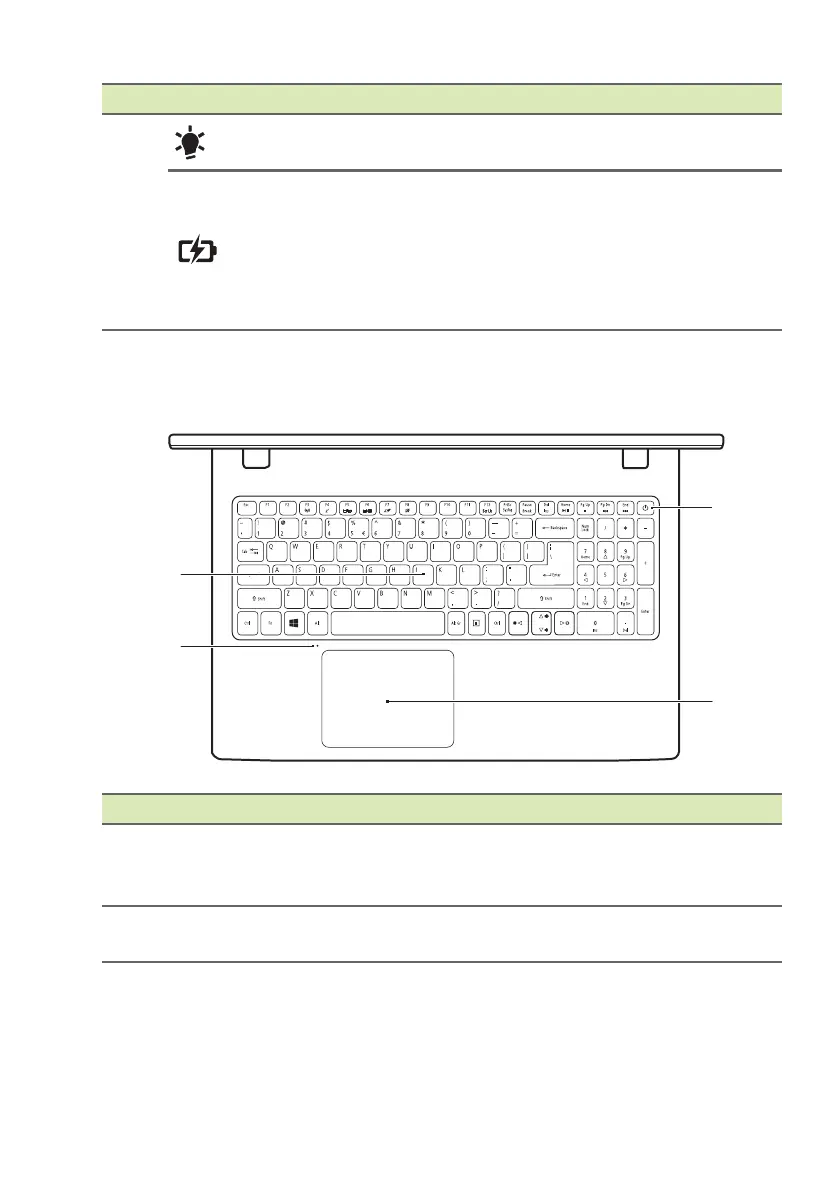
Keyboard view
4
Power indicator
Indicates the computer’s power
status.
Battery indicator
Indicates the computer’s battery
status.
Cha
rging: The ligh
t shows amber
when the battery is charging.
Fully charged: The lig
ht shows blue
when in AC mode.
# Icon Item Description
1 Keyboard
For entering data into your computer.
See "Using the keyboard" on page
14.
2 Microphone
Internal digital microphone for sound
recording.
# Icon Item Description









 To Next Page