2
English
Disconnecting from a notebook PC.
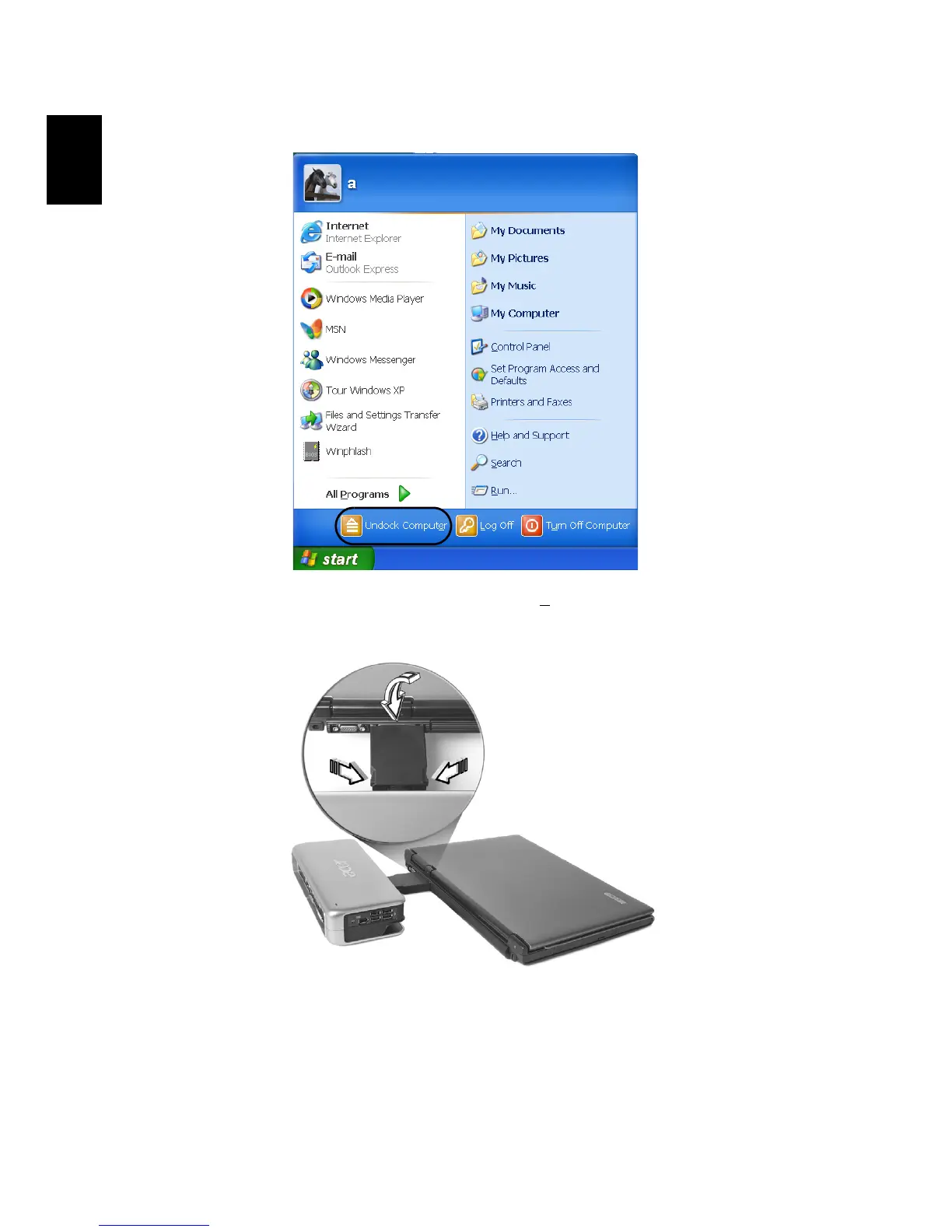
1 Please be sure to click “Undock Computer” on the taskbar before
disconnecting the Acer ezDock.
2 Press the releasing catches on both sides of the connector as
shown and pull gently to detach the Acer ezDock from the
notebook PC.
3 Cover the connector with the cap and return it to the connector
slot.


 To Next Page