18 - Your Acer Liquid Life app
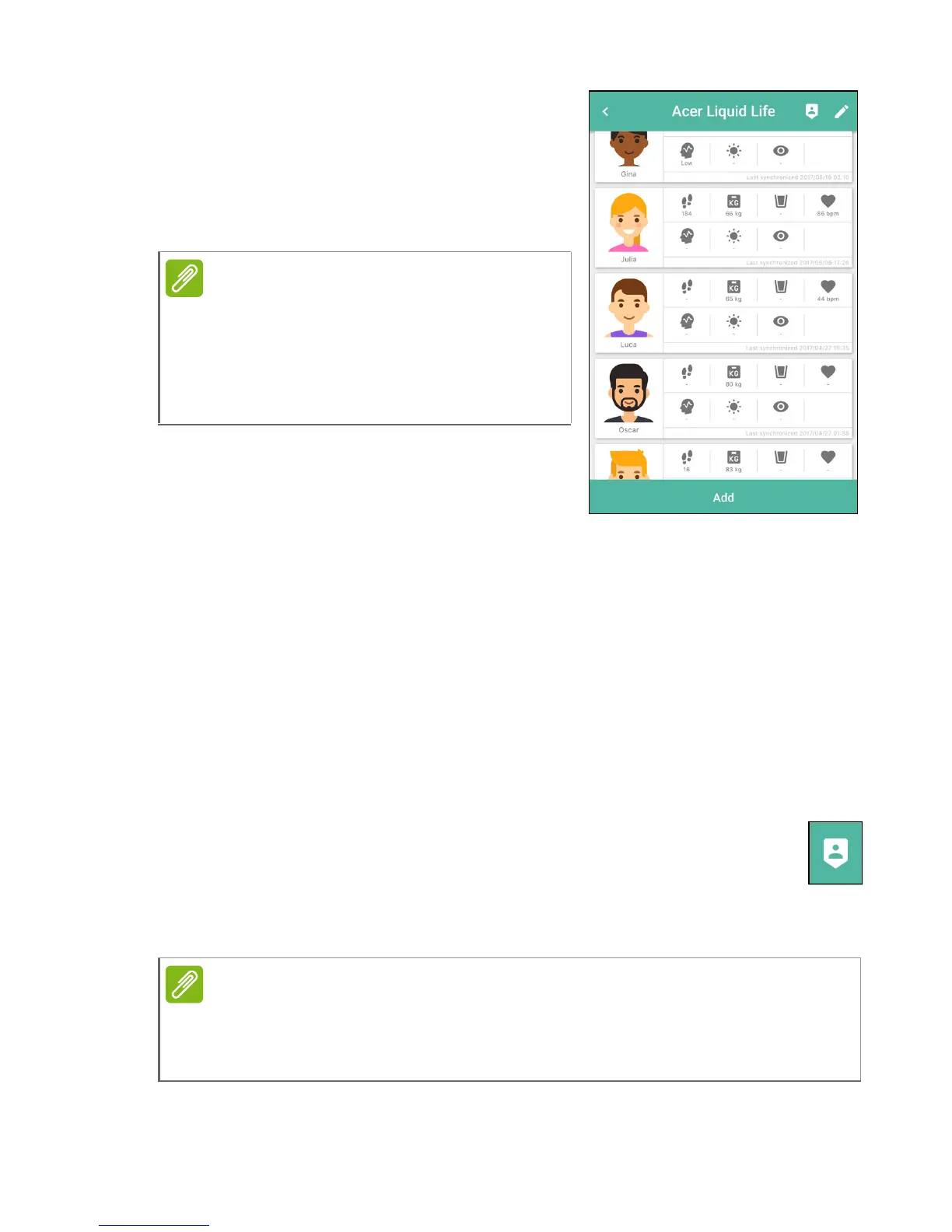
Tap on the group to see more
information. A tile for each member
shows the shared information. If there
are more than four members, swipe up
or down to see tiles for all the members
of the group.
Leaving a group
You may leave a group at any time. Open the group and tap the Exit
icon, then select Delete.
A group owner/creator may also remove members. Open a group you
created, and tap the Edit icon; tap the Delete icon next to the name of
the member to be removed.
Viewing the Leaderboard
You may view a weekly or monthy activity leaderboard for each
group. Top-ranked group members will be shown on a track,
the position of each character image representing their total
steps for the time period. Below the track a list shows all members,
ranked by total steps taken over the selected period.
The group owner/creator may select
which information is shown. This is
done when the group is created, or
may be changed by opening the group
and tapping the edit icon.
A member’s position on the leaderboard is not available until they have
recorded at least a full week’s activity (Sunday to Saturday). If no
members have completed a full week, the leaderboard is not available.


 To Next Page