Your Acer notebook tour - 17
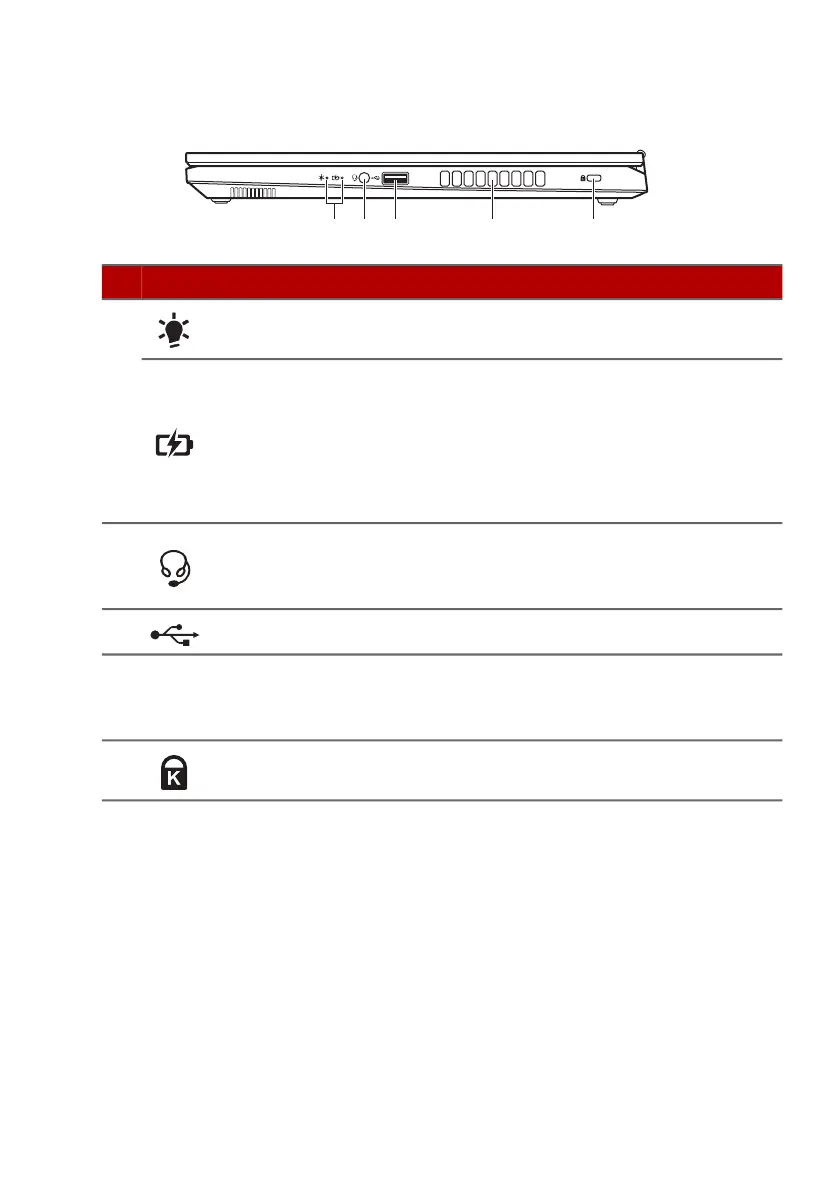
Right view
USB 3.2 Gen 1 information
• USB 3.2 Gen 1 compatible ports are blue.
• Compatible with USB 3.2 Gen 1 and earlier devices.
• For optimal performance, use USB 3.2 Gen 1 certified devices.
• Defined by the USB 3.2 Gen1 specification (SuperSpeed USB).
# Icon Item Description
1
Power indicator
Indicates the computer’s power
status.
Battery indicator
Indicates the computer’s battery
status.
Amber when the battery is
charging.
Blue when fully charged (with the
AC adapter plugged in).
2
Headset/
speaker jack
Connects to audio devices (e.g.,
speakers, headphones) or a
headset with microphone.
3 USB port Connects to USB devices.
4
Ventilation and
cooling fan
Allows the computer to stay cool.
Do not cover or obstruct the
openings.
5
Kensington lock
slot
Connects to a Kensington-
compatible security lock.











 To Next Page