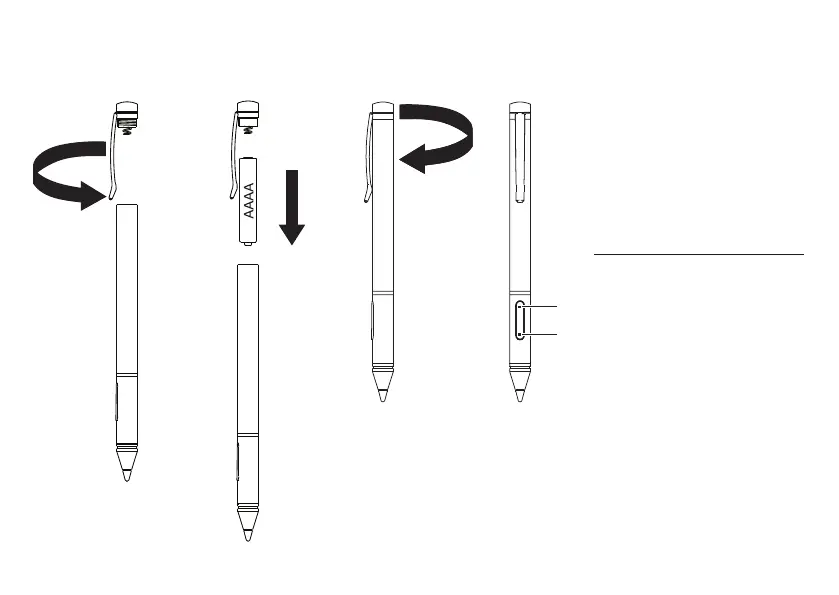
A
Holding the pen above the
screen, double-click the lower
button to launch Acer Hover
Access
B
Press and hold the upper button
for the eraser function
(for supported programs).
Note: If Acer Hover Access is not
preinstalled, you can get it from
http://go.acer.com/?id=18022.
A
En tenant le stylo au-dessus
de l'écran, double-cliquez sur
le bouton inférieur pour lancer
Acer Hover Access
B
Appuyez et maintenez le bouton
supérieur pour la fonction
gomme (pour les programmes
pris en charge).
Remarque : Si Acer Hover Access n'est
pas préinstallé, vous pouvez l'obtenir
surhttp://go.acer.com/?id=18022.
1 2 3 4
A
B
해당 무선설비는 전파혼신 가능성
이 있으므로 인명안전과 관련된
서비스는 할 수 없음
+
-


 To Previous Page