
 Need help?
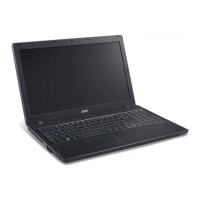
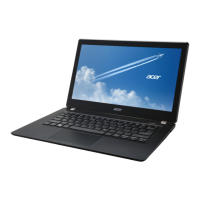
Do you have a question about the Acer TravelMate P453-M and is the answer not in the manual?
 General
| Storage | 500 GB HDD |
|---|---|
| RAM | 4 GB DDR3 |
| Display | 1366x768 pixels |
| Graphics | Intel HD Graphics 4000 |
| Operating System | Windows 7 Professional |
| Battery | 6-cell Li-ion |
| Weight | 2.3 kg |
| Ports | USB 3.0, HDMI, VGA, Ethernet |
| Wireless | Bluetooth 4.0 |
Detailed technical specifications in tabular format.
Guide to accessing and navigating the BIOS setup program.
Step-by-step procedures for disassembling and reassembling the notebook.
Troubleshooting steps for when the system does not power on.
Troubleshooting steps for issues with the display not working.
Diagnostic steps for LCD panel or cable problems.
Troubleshooting steps for keyboard malfunctions.
Troubleshooting steps for touchpad issues.
Steps to diagnose and resolve audio output problems.
Troubleshooting steps for microphone input issues.
Diagnostic steps for problems with USB ports.
Troubleshooting steps for wireless network connectivity issues.
Diagnostic steps for issues with the memory card reader.
Troubleshooting steps for overheating or fan issues.
Steps to diagnose and resolve external display connection problems.
Comprehensive list of all FRU parts with descriptions and part numbers.

 To Next Page