页码 28/52
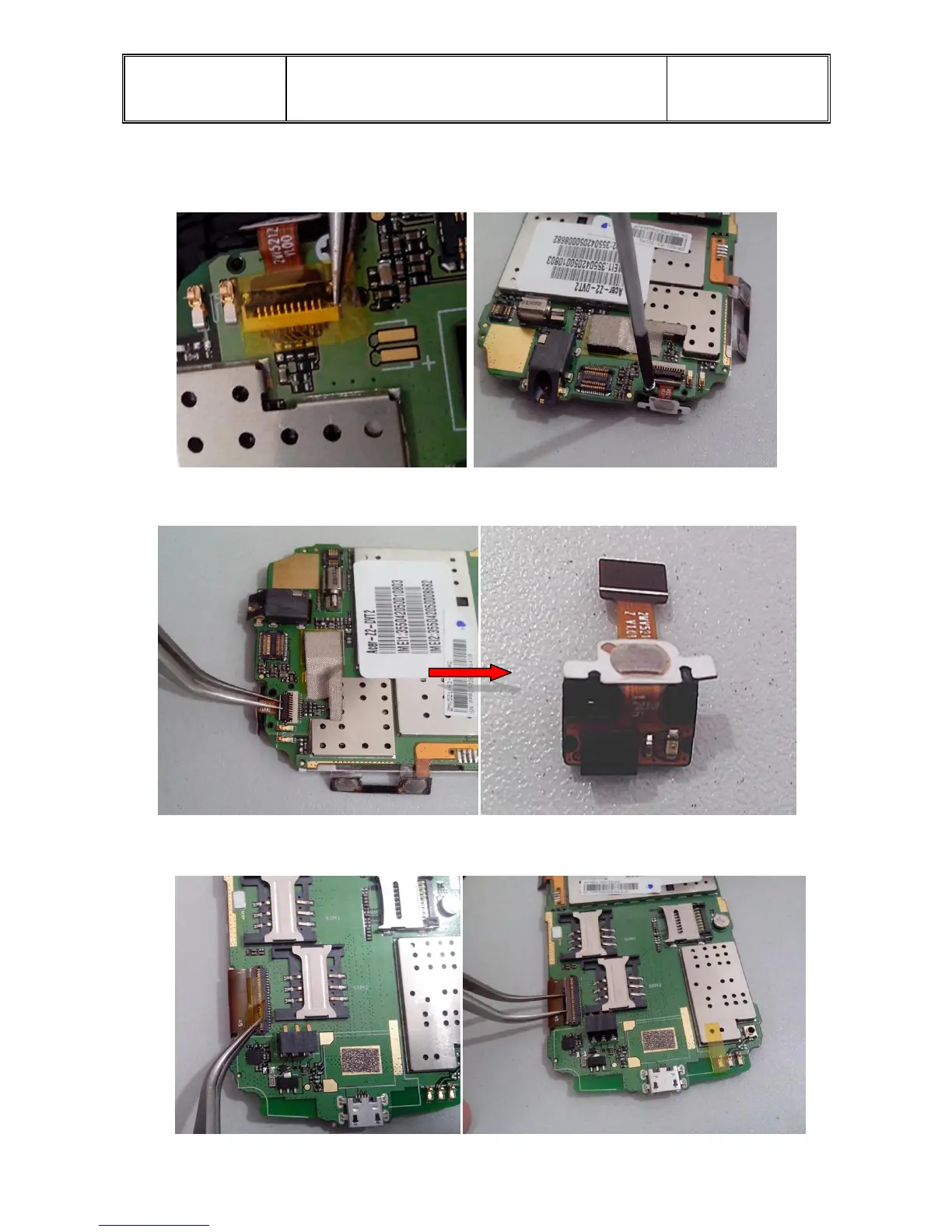
(8.)Take down the P-sensor.
(a) First, take away the Mylar on the connector ,then using the cross screwdriver taka away the
screw,disassemble the screws of picture marked:
(b) Opening the FPC connector by the tip of tweezer。
(9.)Take away the Mylar on the connector of LCM,as the left picture,and open the ZIF
connector,take FPC out by tweezer like the right picture.


 To Next Page