页码 39/52
8. Test ways and steps
1. Insert T-card , sim card and battery into the phone, then power on. The power-on
flash must be normal fluent. When the phone stand by, check whether it reads the
sim card and T-card. insert an earphone, listen to music, the sound should be clear
and no any noise, the key light will be on at the same time.
2. Dial “10086”, check the sound of the receiver, then active speaker, check if the
speaker’s voice is clear and has no any noise.
3. CIT TEST
Click the “dial key”, input “*#889#”into the CIT test mode, choose “PCBA auto
function test”
a. Version test: shown SW version, HW version and BB version and so on, please in
comparison with the plan book. No differences, click “succeed” into next item.
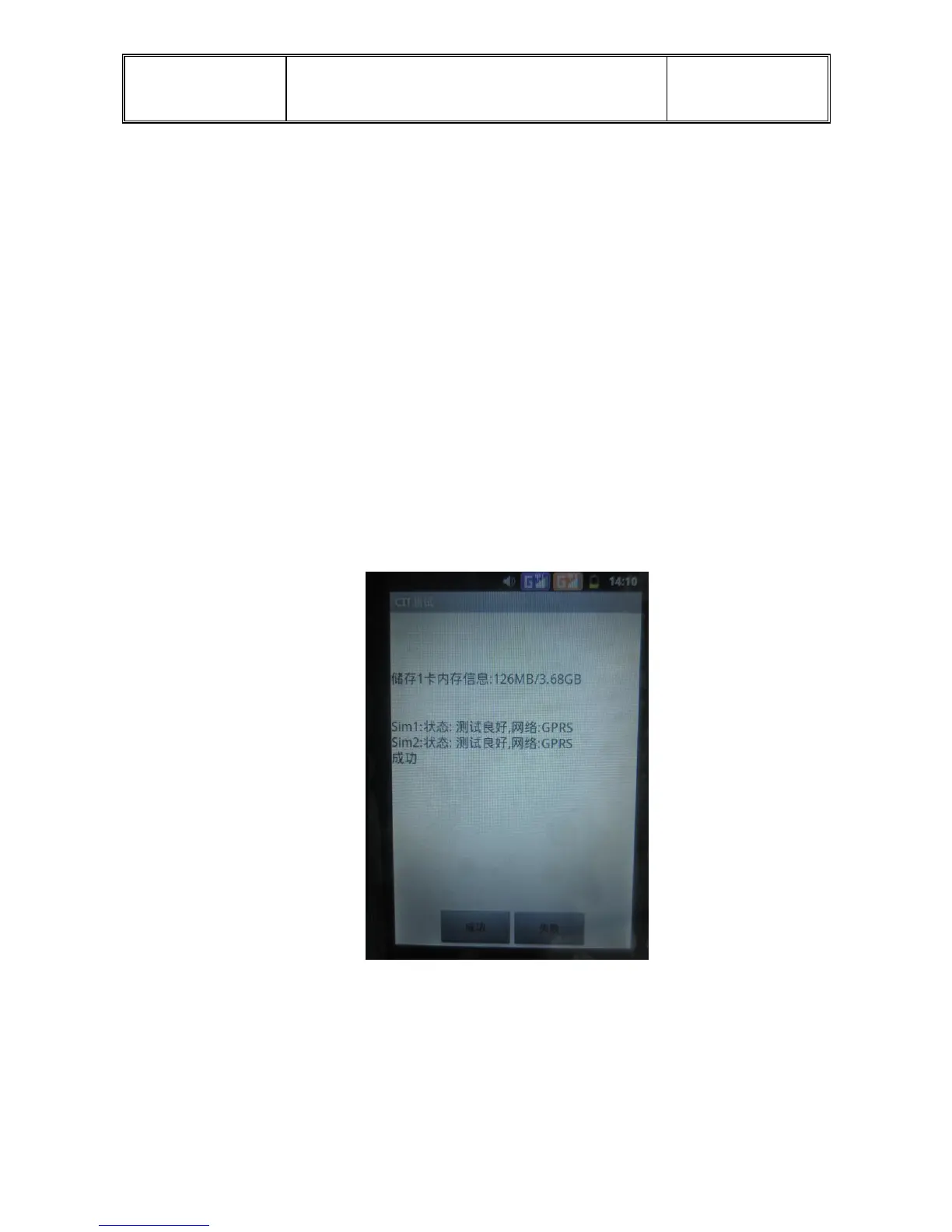
Check the phone has read the sim1, sim2 and T card, speaker can make sound, click
“succeed” into next item.
b. Camera Test:into the interface, look if the image is clear. Click “back” into next
interface that shows two choices, “succeed”(成功) and “fail”(失敗). Click
“succeed” into the next item.


 To Next Page