
EasyManua.ls Logo

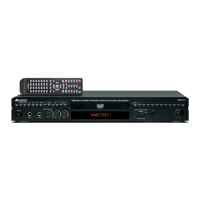
Acesonic DGX-213 - User Manual

Acesonic DGX-213
23 pages
Print Icon
To Next Page IconTo Next Page
Loading...
POWER MUTE
OPEN
CLOSE
A- B
MEN U
RET URN
REP EAT
ENTER
PRO GRAM
CLE AR
USB
VOL -
VOL +
STE P
TIT LE
SET UP
REC
PLAY BAC K
MUS IC
PHO TO
DIS C
SD
CAR D
GUI
SWI TCH
NUM BER
IND EX
NAM E
IND EX
AUD IO
SEA RCH
DIS PLAY
SUB TITLE
ZOO M
PBC
ANG LE
P/ N
CUE
MPX
DIS C
RIP PING
CRE ATE
SON GL IS T
1
2
ABC
3
DEF
4
GHI
7
PQR
8
STU
0
YZ
9
VWX
5
JKL
6
MNO
VID EO
REC
www.acesonic.com
CAUTION:
To assure this player will work at its best, please
read this users manual carefully before operation
and keep for future reference.
DGX-213
HDMI Multi-Format Karaoke Player
with 4X CDG to MP3G Converter with Digital Recording
User Manual v.1.0
NOTE: To ensure this system works safely and to its fullest potential, please read the User Manual
carefully before use and keep it handy for future reference.
®

Questions and Answers

Summary

First Things First

Included Accessories

List of items supplied with the karaoke player.

Before Operation

About This Manual

Explains manual conventions like uppercase letters in OSD.

Precautions

Safety and handling advice for power, moisture, and temperature.

Notes on Installation

Guidance on placing the unit for optimal performance and safety.

Prevent Unit Malfunction

Advice on user-serviceable parts and ventilation.

Notes Regarding Discs

Information on DVD playback behavior and disc quality.

Maintenance of Discs

Guidelines for handling, storing, and cleaning discs.

Power Cord

Safe handling and maintenance of the power cord.

Compatible Video Formats

Details video format support for USB/SD card and discs.

Important Information Before You Start

Compatible Media and File Formats

Lists supported disc and file types for playback.

Important Reminders

Notes on disc compatibility and encoding methods.

Video Signal Formats

Player's support for NTSC and PAL systems.

Digital Audio Formats

Player's support for various digital audio signals.

Front Panel Functions and Operations

Front Panel Overview

Identifies and explains controls on the player's front panel.

Back Panel Functions and Operations

Identifies and explains connections on the player's back panel.

Remote Functions

Remote Control Functions

Detailed explanation of buttons and their operations on the remote.

Player Connections

USB & SD Card Connections

Guide to connecting USB and SD/MMC memory devices.

A;V and Digital Connections

Explains various audio/video output and input connections.

5.1 Channel Surround Sound Amplifiers Connection

How to connect to 5.1 channel amplifiers.

Power Connection

Instructions for connecting the player to an AC power outlet.

Basic Operation

Basic Playback

Steps for turning on the unit, loading, and playing discs.

Playback from USB and SD Cards

How to play files from USB drives and SD cards.

Karaoke - Using Microphones

How to connect and use microphones for karaoke.

Karaoke Recording

Process for recording singing performances using the player.

Ripping CDG Discs to MP3+G

Transferring CDG disc content to MP3+G format.

Scoring Function

How to enable and use the song scoring feature.

System Setup

Configuration options for TV, power, video, resolution, and password.

Language Setup

Setting OSD, audio, subtitle, and menu languages.

Audio Setup

Configuring audio output, microphone settings, key, echo, and volume.

Video Setup

Adjusting brightness, contrast, hue, and sharpness.

Speaker Setup

Configuring down mix, subwoofer, and speaker delays.

Digital Setup

Settings for operating mode, dynamic range, and dual mono.

Basic Recording Operation for MP3+G

What is MP3+G

Explanation of the MP3+G file format for karaoke.

Recording a Performance

Steps to record your vocal performance with music.

CDG Disc Ripping to MP3+G Files

How to convert CDG discs into MP3+G format.

Advanced Operations

Playing From A Specific Position

Navigating DVD menus and using time search for playback.

Zooming Into Pictures

How to magnify images or video during playback.

Repeating Playback

Using REPEAT and A-B REPEAT functions for playback segments.

Create Song List

Generating a text file database of songs from discs/cards.

Switch Between File Viewers (GUI SWITCH)

Toggling between different file display modes.

Song Searching

Methods for finding songs by number or name.

Programming the Playlist

Creating custom song playlists for playback.

Troubleshooting

Operation Issues

Resolving problems related to disc loading and playback.

Remote Control Issues

Troubleshooting remote control not functioning.

Audio Issues

Diagnosing and fixing no audio or distorted sound problems.

Karaoke Operations Troubleshooting

Solutions for microphone sound and feedback issues.

Video Troubleshooting

Addressing black & white or static video issues.

USB or SD Card Device Issues

Resolving problems with device reading and file limits.

Recording Performance Troubleshooting

Fixing issues with recording function and voice playback.

Convert CDG to MP3 Troubleshooting

Issues with graphics and format support during conversion.

HD Video Output Troubleshooting

Resolving normal video display and high-resolution setting issues.

Safety Warnings & Precautions

General Safety Precautions

Warnings about electric shock, moisture, and ventilation.

FCC Advisory (USA)

Compliance information regarding radio frequency interference.

Canadian Advisory

Compliance information for Canadian radio noise emissions.

Important Safety Procedures

Key safety guidelines for operation and environment.

Information

Specifications

Technical details including power, video, audio, and dimensions.

Acesonic DGX-213 Specifications

General IconGeneral
BrandAcesonic
ModelDGX-213
CategoryKaraoke player
Microphone Inputs2
RecordingYes
Key ControlYes
Echo ControlYes
USB PortYes
SD Card SlotYes
Supported FormatsMP3, MP4, CDG