Hardware Overview
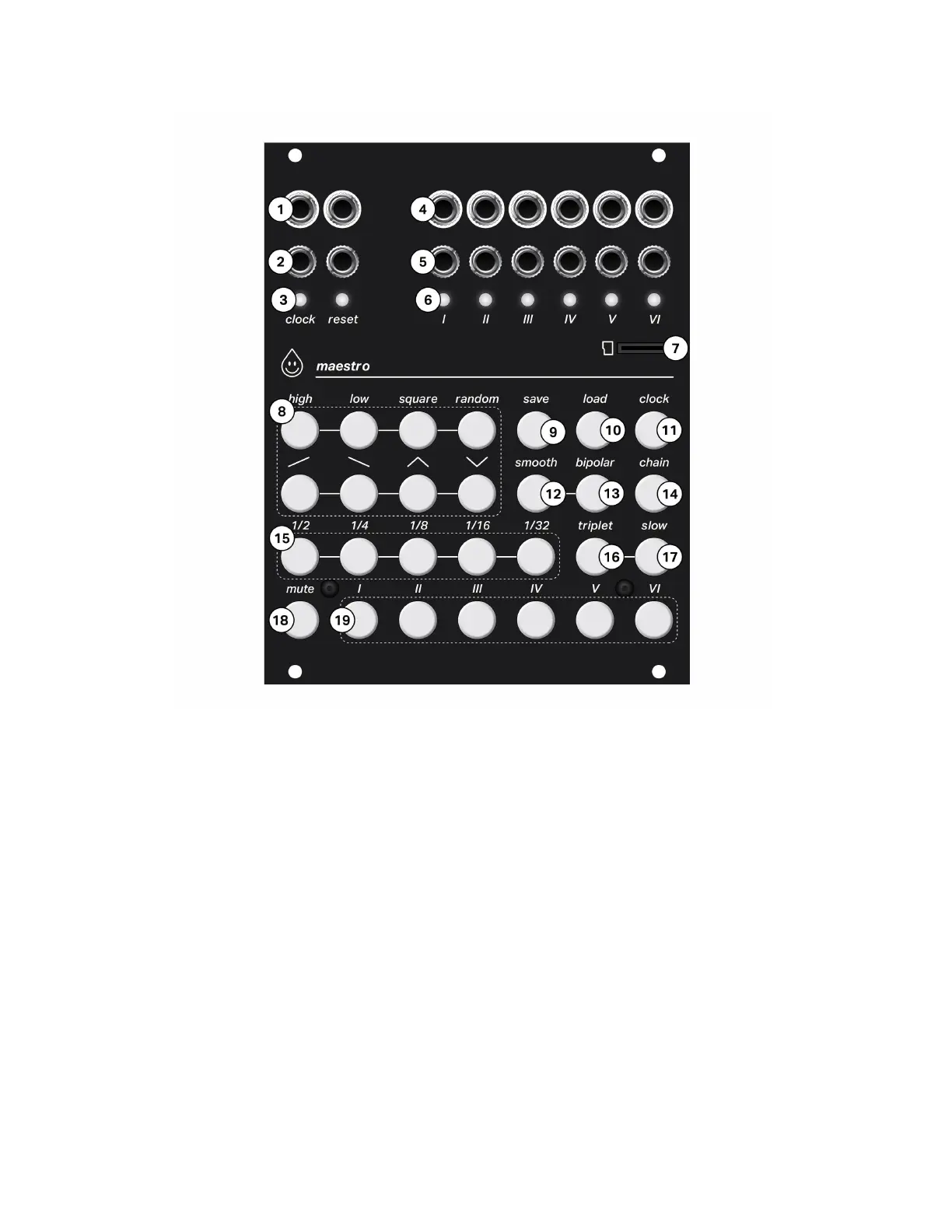
Along the top of the module you will find the inputs (2) and outputs (1) for the clock and reset,
and channel trigger inputs (5) and channel signal outputs (4) . Each channel also has an LED
indicating the signal at it’s output (6) and Maestro’s clock and reset are shown on LEDs (3).
Maestro uses a micro SD card (7) to store channel data for saving and loading, as well as
firmware updates and other settings.
Button Overview
- Channel (19) and mute (18) buttons
- Timing (15) buttons and triplet (16) and slow (17) modifier buttons
- Waveform (8) buttons and smooth (12) and bipolar (13) modifier buttons
- Save (9) and load (10) buttons
- Chain menu button (14)
- Clock menu button (11)


 To Next Page