7
GB
phone number to nd the number you want to dial, nally briey press
the button.
3. Make a call from the call records of the BTC500: When the BTC500 is in
standby mode, briey press the volume + button or volume – button once
to open the call records of the BTC500, LCD screen will display the last
incoming call, and then press volume + button or volume – button to see
previous or next phone number to nd the number you want to dial, nally
briey press button.
4. Redial last number from the BTC500: Double click the button to dial
last number.
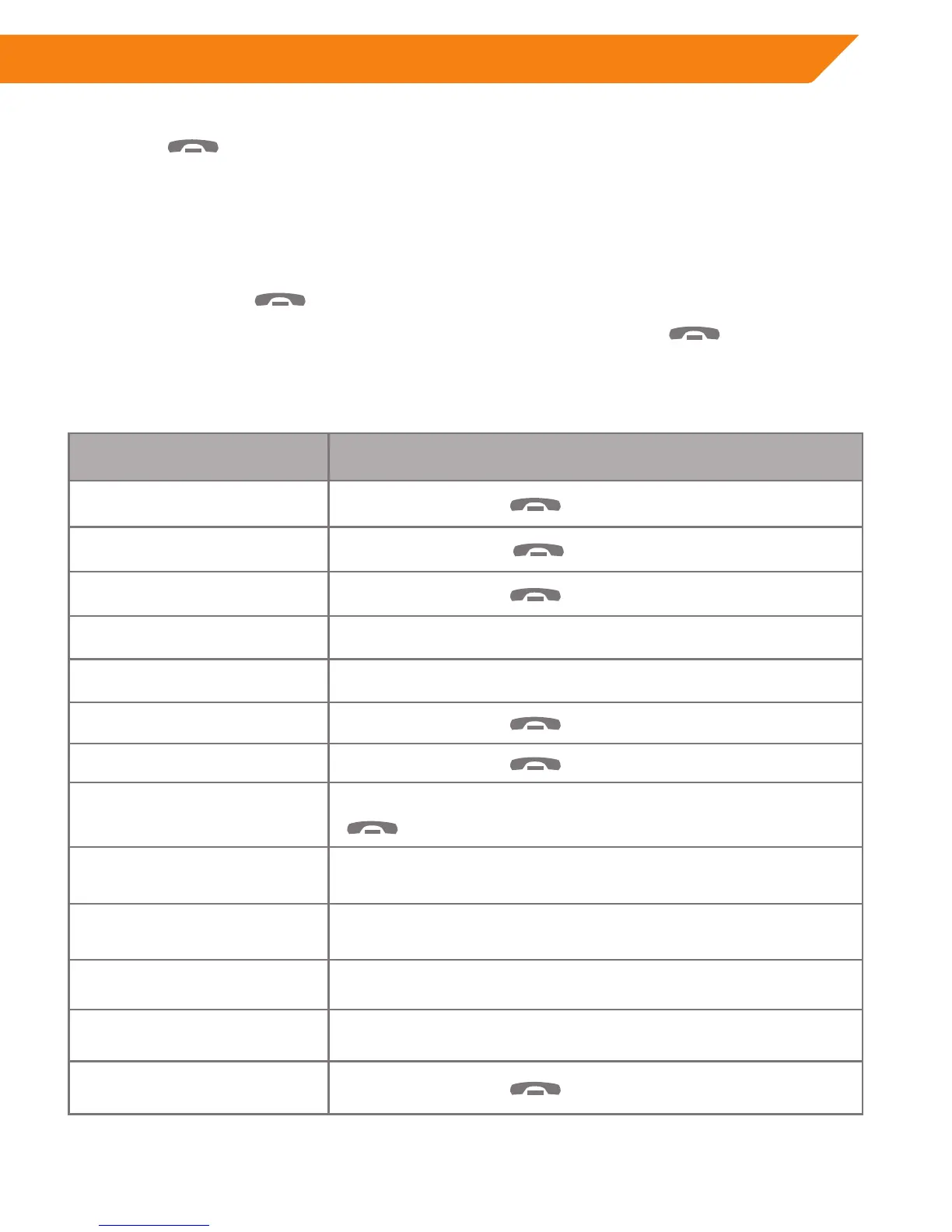
The operation is as follows:
Function Operation
Voice dial Briey press the button once
Redial last number Double click the button
Cancel calling Briey press the
button once
Volume up Briey press the volume + button
Volume down Briey press the volume – button
End a call Briey press the
button once
Answer a call Briey press the
button once
Reject a call
When there is an incoming call, briey press the
button twice
Transfer call (BTC500
to mobile phone)
Press and hold the volume + button for 2 seconds
Transfer call (mobile
phone to the BTC500)
Press and hold the volume + button for 2 seconds
Microphone mute Press and hold the volume – button for 2 seconds
Cancel mute Press and hold the volume – button for 2 seconds
Reconnection Briey press the
button once



 To Next Page