EasyManua.ls Logo

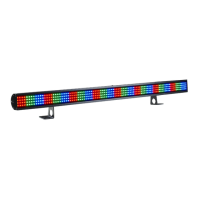
ACME Dotline360 TB-1230 QW - User Manual

ACME Dotline360 TB-1230 QW
24 pages
Print Icon
To Next Page IconTo Next Page
Loading...
TB-1230 QW
User Manual
Please read the instrucon carefully before use

Questions and Answers

  • W
    wilsonkimberlyAug 10, 2025
    What to do if ACME DJ Equipment does not respond to DMX control?
    • A
      aferrellAug 10, 2025
      If your ACME DJ Equipment isn't responding to DMX control, several factors could be at play. First, verify the DMX connectors and cables are properly linked, repairing or replacing any damaged wires. Next, confirm the correct address assignment for the units and check the protocol settings. Ensure the data connection is complete by inserting a terminal plug in the output jack of the last unit. Also, check that the operating mode matches the DMX mode being used. If problems persist, try using another DMX controller.
  • J
    Johnny LopezAug 25, 2025
    Why ACME DJ Equipment doesn't work and has no light?
    • K
      knightshannonAug 26, 2025
      If your ACME DJ Equipment isn't working and there's no light, it could be due to an incorrect power cable connection. Check the power connection. Another potential cause is incorrect mains voltage, so measure the mains voltage on the main connector.

ACME Dotline360 TB-1230 QW Specifications

General IconGeneral
BrandACME
ModelDotline360 TB-1230 QW
CategoryDJ Equipment
LanguageEnglish

Related product manuals