4
GB
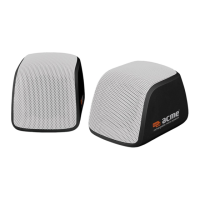
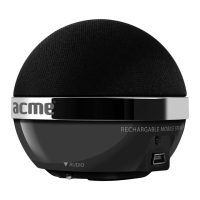
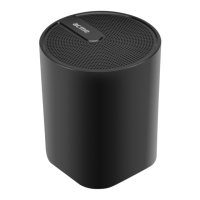
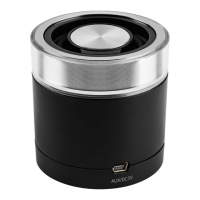
Overview
1. Power ON/OFF switch
2. Power Indicator
3. Mini USB Power Charge port + Aux port
Important Safety Precautions
• Forthebestresults,placeyourspeakersonasolid,atsurfacewheninuse.
• Donottouchthemetallicportionsofyourconnectorcables.
• Inordertoavoidpotentialelectricshockorothersuchaccidents,donotdismantleortakeapartthe
speakers or their components.
• Donotexposeyourspeakerstoexcessiveamountsofheatorcold.Keeptheminawell-ventilatedarea
to prevent any possible overheating.
• Turnyourspeakers’powerowhentheyarenotinuse.
• Donotspillliquidsoruidsonyourspeakers.
• Whenconnectinganaudiodevicetoyourspeakers,makesurethevolumeontheaudiodeviceisnot
set too high to avoid an excessive signal input.
• Thissystemshouldnotbeplacednearasourceofopename,suchaslightedcandles.
Cleaning
Unplug the powercable beforecleaning. Do not use liquid or aerosol cleaners.Use a damp cloth for
cleaning.
Operations
Charging
Connect USB cable into SP103 mini USB port. Red indicator lights up.
Using
• Ensurethatvolumeissettominimumonyourdevice.
• ConnectUSB/3.5mmaudiocableintoSP103miniUSBport.
• Connect3.5mmaudiojacktoanymusicdevice(3.5mmjackports).
• Turnonspeaker(setON/OFFswitchtoON).
• Speakervolumecanbechangedwithaudiodevicevolumecontrol.
Waste Electrical and Electronic Equipment (WEEE) Symbol
The use of the WEEE symbol indicates that this product may not be treated as household
waste.Byensuringthisproductisdisposedofcorrectly,youwillhelpprotectcontactyourlocal
authority,yourhouseholdwastedisposalserviceproviderortheshopwhereyoupurchasedthe
product.


 To Next Page