4
EN
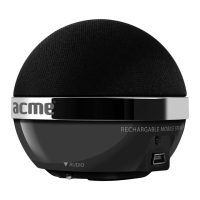
Overview
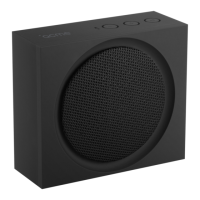
1. Function button / Power Switch
2. Audio In
3. Charging socket
Previous track/Volume -: Press this button to select tracks or press and hold it to reduce the
volume.
Next track/Volume +: Press this button to select tracks or press and hold it to increase the volume.
Pause/Play/Pick or end the call: Press this button to pause, to resume normal operation or to pick
up/end calls in the Bluetooth playback mode.
Important Safety Precautions
• Forthebestresults,placeyourspeakeronasolid,atsurfacewheninuse.
• Donottouchthemetallicpartsofyourconnectorcables.
• Inordertoavoidelectricshocksandothersuchaccidents,donotdismantleortakeapartthespeaker.
• Donotexposeyourspeakertoexcessiveamountsofheatorcold.Keepitinawell-ventilatedareato
preventitfromoverheating.
• Turnoyourspeakerwhenyouarenotusingit.
• Donotspillliquidsoruidsonyourspeaker.
• Whenconnectinganaudiodevicetoyourspeaker,makesurethevolumeontheaudiodeviceisnot
set too high, in order to avoid excessive signal input.
• Thisspeakershouldnotbeplacednearopenames,suchaslitcandles.
Functions Description
Turning on:Use thepowerswitchtoturnthe speakeron.Itwillbeep andtheblueindicatorwillash
simultaneously.
Bluetooth Connection: Once switched on, the speaker starts searching for other Bluetooth devices
automaticallyandatthesametime,theblueindicatorashes.Ifpairingissuccessful,theblueindicator
ashesslowlyandanoticationsoundisalsogeneratedbythespeaker.Ifspeakerisnotpairedwithany
otherBluetoothdevicewithinveminutes,thespeakerwillshutitselfdown.Turnitontostartthesearch
again. All the paired devices will engage in automatic connection when the speaker is turned on.
Note: Please recharge if the device repeatedly shuts down or the connection fails.
Bluetooth Music Playback: When connected, the speaker plays music immediately. Press
and
to select next or previous tracks. Press and hold and to adjust the volume. While
playing the music, press to pause or resume.
Call Pick-up:Afterithasbeensuccessfullyconnectedwiththecellphone,thespeakerwillbeepwhena
call is received. Press
to pick it up, press again to end a call.
AUX Playback: Use the supplied audio cable to connect the speaker to another music player, such as a
computer, by plugging one end to the speaker’s audio in port and the other end to the music player’s
audioport.Trackscanbeselectedonlythroughthemusicplayer,butvolumecanbecontrolledthrough
both the music player and Bluetooth speaker. You can press
to pause/play.
Recharging: Plug the supplied USB cable into the speaker’s USB socket and the other end into the


 To Next Page