Disclaimer
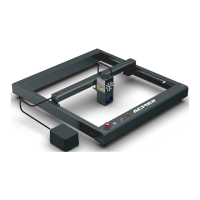
ACMER P2 Laser Engraver supports the most popular engraving software LaserGRBL.
LaserGRBL is an open source, easy to use and powerful software, but LaserGRBL only sup-ports Windows (Win XP/Win 7/ Win 8/XP/ Win 10).
Obtain and install LightBurn
The ACMER P2 Laser Engraver receives mobile commands from the computer in real time, and the engraver needs to stay connected to the com-
puter and cannot close the engraving software (LaserGRBL or LightBurn) during the engraving process. In addition, the configura-tion of the com-
puter can aect the speed and even the quality of the engraving. The
following will focus on the installation and use of LaserGRBL software.
Note: It is recommended that you adjust your computer's power settings to "Never Sleep" mode.
Please read the following carefully before using LaserGRBL on the ACMER P2


 To Next Page
 Loading...