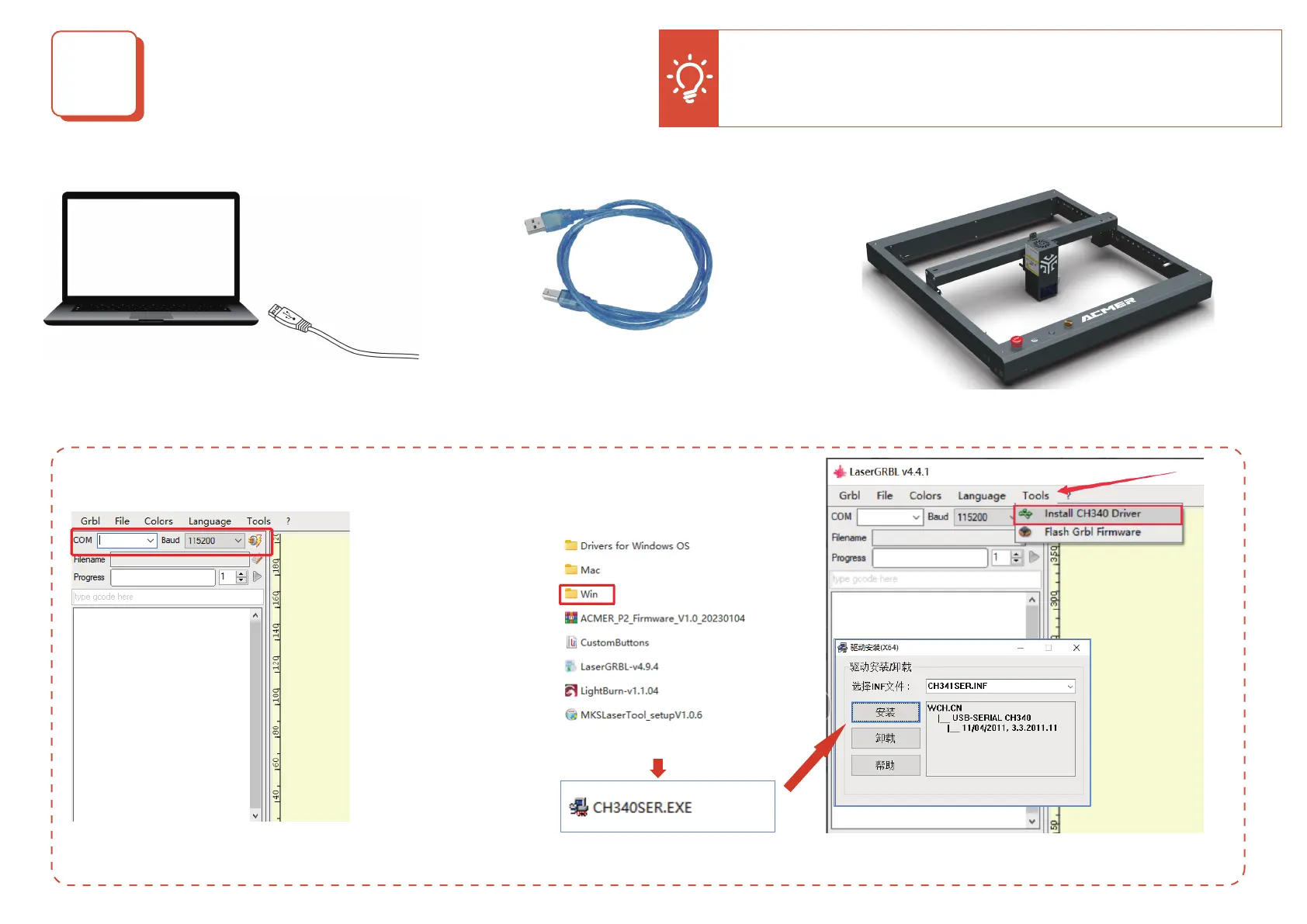
a. Generally, COM ports
don’t need to be selected
manually. But if you have
more than one serial
devices connected to the
computer, you need to
select it manually. You can
nd the port of the laser
engraver to create in the
Device Manager of
Windows system.
b. If the COM port doesn’t show on the interface, please check whether the driver is installed
and please install the CH340 driver.
1. Connect the COMGO Z1 laser engraver to a computer with LaserGBRL software and plug in the power supply.
2. Open LaserGRBL software and select the correct port number and baud rate: software-115200
Connect ACMER P2 Laser Engraver
2
+ +
Tip: One computer can open several LightGRBL softwares to connect
several engraving machines. When you operate several engraving
machines, please make sure to confirm whether the COM port information
corresponds to the device you are using.


 To Next Page