© Copyright 2009 Acnodes, Inc.
All rights reserved. Product description and product specifications
are subject to change without notice. For latest product information,
please visit Acnodes’ web site at www.acnodes.com.
661 Brea Canyon Rd., Suite 3
Walnut, CA 91789
tel: 909.598.7388, fax: 909.598.0218, www.acnodes.com
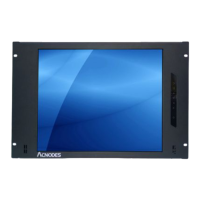
RMS 7170
7U 17” Rackmount LCD Monitor
Chapter 1
Getting Started
1.1 Important Safeguards.............................................................1
1.2 Regulatory Notice....................................................................2
1.3 Before Installation....................................................................3
1.4 Unpacking................................................................................3
Chapter 2
RMS7170
2.1 Package Contents..................................................................4
2.2 Structure Diagram...................................................................5
2.3 Specifications.......................................................................6-7
2.4 Installation.............................................................................8-9
2.5 Connection.............................................................................10
Chapter 3
Operation
3.1 On-screen Display Operation...............................................11
3.2 On-screen Menu.....................................................................12
Chpater 4
Optional Specification
4.1 DVI-D Option..........................................................................13
4.2 BNC+S-Video Option............................................................14
4.3 Audio Option...........................................................................15
4.4 Touchscreen Options........................................................16-17
4.5 Front NEMA/ IP65 Option......................................................18
4.6 DC Power Options.................................................................19
Contents
Chapter 5
Troubleshooting........................................................................20


 To Next Page