EasyManua.ls Logo

Acorto 2000s - Page 15

Acorto 2000s
237 pages
Print Icon
To Next Page IconTo Next Page
To Previous Page IconTo Previous Page
Loading...
Software
The
2000s/i
user
interface
contains
drink
statistics,
programming
diagnostic
service
information.
The
2000s/i
is
programmable
customer's
specific
drink
requirements.
Software
Sitructure
The
software
is devised
of
a
"Main Menu
-
Sub
Menu"
Category
system'
The
Main
Menu
is c,cmposed
of
11 Categories:
Cumulative
Statistics,
Daily
Statistics,
Automatic
Sltart,
Check
Temps,
Temperature
Seffings'
Coffee
Powder
Dose'
Coffee
Powder
l,re, Water
Volume,
Milk
Timings,
Miscellaneous,
and
Test
Routines.
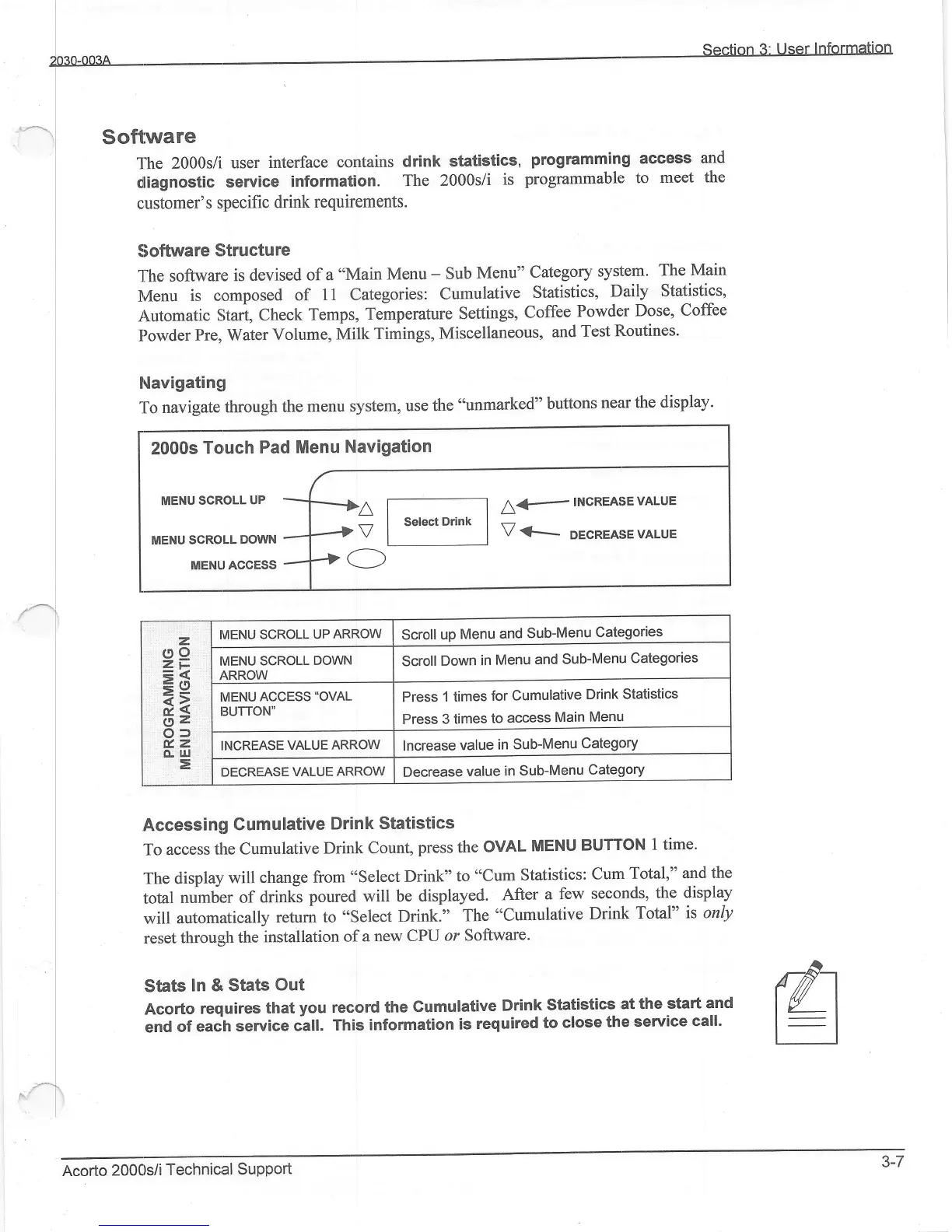
Navigatingl
To
navigate
through
the
menu system,
use the "unmarked"
buttons
near
the
display'
Accessing
Gumulative
Drink
Statistics
To accesis
the
Cumulative
Drink Count,
press
the
OVAL
MENU
BUTTON
1 time'
The
disprlay
will change
from
"select
Drink"
to
"Cum
Statistics:
Cum
Total,"
and
the
total
nulnber
of
drinks
poured will be
displayed.
After
a few
seconds,
the display
will
automatically
return to
"select
Drilk."
The
"Cumulative
Drink
Total"
is only
reset
thnoug;h
the
installation
of
a
new CPU
or
Software.
Stats
In & Stats
Out
Acorto
requires
that
you
record
the
Cumulative
Drink
Statistics
at the
start
and
end
of
eraih
service
calt.
This
information
is
required
to
close
the
service
call'
access
and
to
meet
the
rfi
EI
2000s
Touch
Pad Menu
Navigation
MENU
tlcRoLL
UP
-]--|A
L€
INCREASEVALUE
V
<---
DEcREAsE
vALuE
MENU
scRoLL
oowr.r
..-.14
I
MENLrAccEss
-4+
C)
z
e8
=6
3=
Oz
o:)
v.z
o-
lrJ
E
IVIENU SCROLL
UP
ARROW
Scroll
up
Menu
and
Sub-Menu
Categories
IVIENU
SCROLL
DOWN
/\RROW
Scroll
Down
in Menu
and
Sub-Menu
Categories
IVIENU
ACCESS'OVAL
13UTTON"
Press
1 times
for
Cumulative
Drink
Statistics
Press 3
times
to
access
Main
Menu
INCREASE
VALUE
ARROW
lncrease
value
in Sub-Menu
Category
I]ECREASE
VALUE
ARROW
Decrease
value
in
Sub-Menu
Category
Acorto
2000s/i
Technicial
Support
3-7