EasyManua.ls Logo

Acorto 2000s - Page 24

Acorto 2000s
237 pages
Print Icon
To Next Page IconTo Next Page
To Previous Page IconTo Previous Page
Loading...
Section
3: User
Information
--------30
Upgrading
Software
The Model 2000
software
can be
installed
and upgraded
via the Communication
Port
located on
the CPU
Board.
Required
Tools
'
IBM compatible
Laptop
with
Windows
95, 98,
NT or 2000 and
a Seri.al Port
.
Service
port
communications
cable
(9
pin
D-sub to 6
pin
modular) Acorto
PartNumber
4300-013
.
HyperTerminal.
The
HyperTerminal
program
is included in Microsoft
Windows
version
95,
98,
NT, and
2000
under
"Programs/AccessoriesAlyperTerm
inal"
.
Basic understanding
of
Microsoft
Windows
"
#2Philips Screwdriver
Part
1: Installing and
Setting-up
HyperTerminal
1. Using My
Computer,
go
to "Programs/Accessories/HyperTerminal"
2. Double
Click on
"hypertrm.exe,"
Opening hypertrm.exe
begins the
installation
process
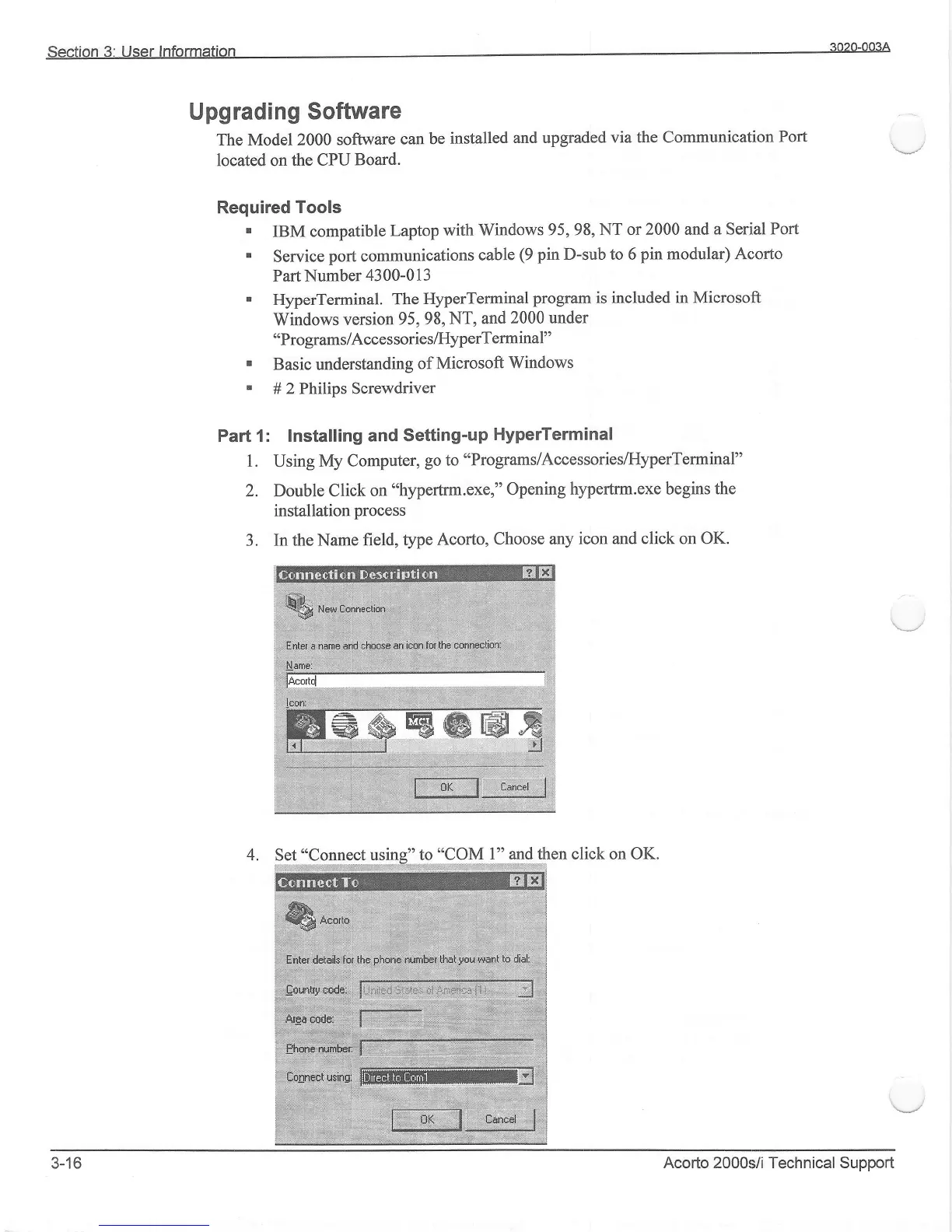
3. In the Name
field,
type Acorto,
Choose any
icon and click on OK.
l" and then click on OK.
,ffiu*,u**a*1
ffi".*oor,1,
W,r.)l\
iiulii Z
3-16
Acorto 2000r;/i Technical Support