EasyManua.ls Logo

Acorto 2000s - Page 28

Acorto 2000s
237 pages
Print Icon
To Next Page IconTo Next Page
To Previous Page IconTo Previous Page
Loading...
Qaafinn ?' I lcar lnfarmatit.'n
3020-oo3A
10. Wait until the
initialization
is
complete.
Press ENTER
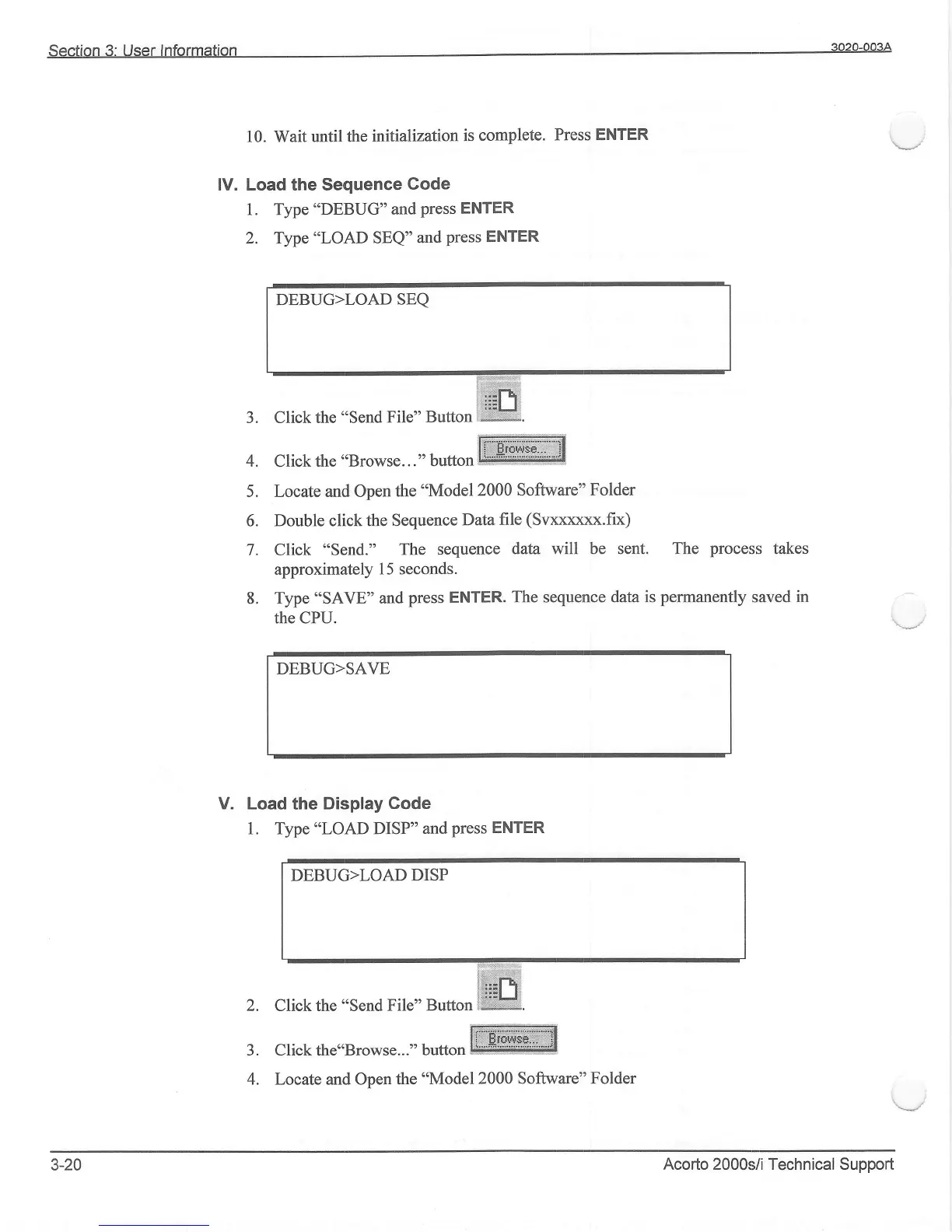
lV. Load the Sequence
Gode
1. Type
"DEBUG" and
press ENTER
2. Type
"LOAD
SEQ"
and
press
ENTER
Click the"Browse..."
button
W
J.
Click the
"Send
File"
Button:ffi
4.
Click the
"Browse..."
button
W
5.
Locate and Open
the
*Model
2000 Software"
Folder
6.
Double click the Sequence
Data
file
(Svxxxxxx.fix)
7. Click
"Send."
The
sequence
data will be sent. The
process
takes
approximately
1
5
seconds.
8. Type
"SAVE'and
press ENTER.
The sequence data is
permanently
saved in
the CPU.
DEBUG>LOAD
SEQ
DEBUG>SAVE
Load
the
Display
Gode
1. Type
"LOAD
DISP"
and
press
ENTER
DEBUG>LOAD
DISP
Click the
"Send
File" Button
V.
2.
J.
4.
3-20
Locate and Open the
"Model2000
Software" Folder
Acorto 2000s;/i Technical Support