EasyManua.ls Logo

Acoustech H-100II - User Manual

Acoustech H-100II
12 pages
Print Icon
To Next Page IconTo Next Page
Loading...

Questions and Answers

Summary

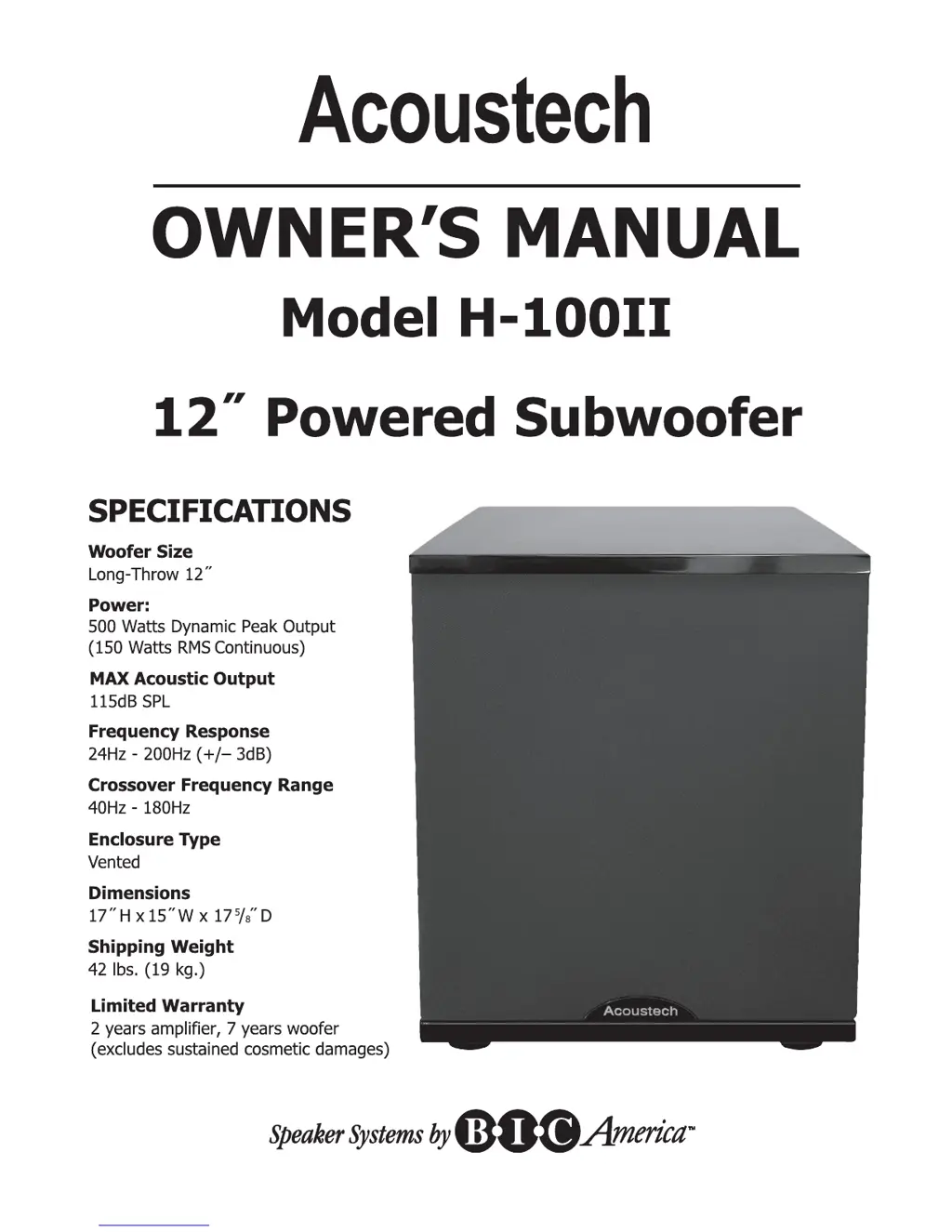
Specifications

Woofer Size

Specifies the size and type of the subwoofer's driver.

Power Output

Details the subwoofer's power handling in peak and RMS.

Acoustic Output and Frequency

Lists maximum sound pressure level and frequency response range.

Enclosure and Dimensions

Describes the enclosure type and physical measurements of the subwoofer.

Shipping Weight and Warranty

Provides shipping weight information and limited warranty details.

H-100 II Safety Instructions

General Operating Safety

Read, retain, heed, and follow all safety and operating instructions.

Environmental & Electrical Safety

Avoid water, heat, and electrical hazards; protect cords and avoid opening unit.

Servicing & Damage Prevention

Do not attempt unauthorized service; follow guidelines for damage requiring professional attention.

Subwoofer Placement Guide

Placement Factors

Consider distance from main speakers, wall outlet, and proximity to walls/corners for optimal bass.

Subwoofer Crawl Technique

Find best bass location by moving subwoofer while listening.

H-100 II Amplifier Panel Overview

Amplifier Panel Controls and Indicators

Identifies and describes all controls and indicators on the amplifier panel.

Subwoofer Connection Methods

Method A: With Subwoofer;LFE Output

Connects to receivers with a dedicated subwoofer or LFE output jack using an RCA cable.

Method B: Without Subwoofer;LFE Output

Connects to receivers without a dedicated subwoofer output using speaker wire.

System Configuration Diagram

7.2 Surround Sound Setup

Illustrates the placement of the subwoofer within a 7.2 channel surround sound system.

Initial Listening Test

Setup and Volume Adjustment

Guides through initial power-up, connections check, and volume balancing.

Optimizing Bass Quality

Involves adjusting placement, crossover, and phase for best sound.

Troubleshooting Guide

Humming or Buzzing Noise

Diagnoses and resolves ground loop or amplifier noise issues.

Thumping or Standby Mode Issues

Addresses thumping during power cycles and unexpected standby mode.

No Output or Incorrect LED Status

Troubleshoots no sound output and issues with the power indicator LED.

Low Bass Output and Speaker Issues

Resolves problems with low bass output and sound from main speakers.

Care and Warranty Information

Caring for the Subwoofer

Provides guidance on cleaning and maintaining the subwoofer's finish.

Limited Warranty Details

Outlines warranty coverage, exclusions, and service procedures.

Acoustech H-100II Specifications

General IconGeneral
BrandAcoustech
ModelH-100II
CategorySubwoofer
LanguageEnglish

Related product manuals