
 Need help?
Do you have a question about the Acoustic Image Clarus 2R and is the answer not in the manual?
Details on connecting power, voltage selection, fuse replacement, and indicators.
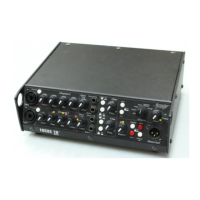
Overview of the preamp's functionality and signal flow.
Explanation of the combo jack inputs for instruments and microphones.
Detailed explanation of preamp controls: level, tone, filter, and effects.
Information on using external effects with the send and return jacks.
Using the XLR output for mixing boards or recording, with EQ selection.
Functionality of the mute switch for tuning or silencing the output.
How to configure the amp for stereo output using a satellite amplifier.
Details on the digital effects unit, programs, and level control for specific models.
Information on speaker connections, impedance, protection, and proper usage.
Connecting and operating the Focus SA standalone power amplifier.
Guidance on positioning the amplifier for optimal performance.
Instructions for cleaning and maintaining the amplifier's appearance.
Details on product warranty, service procedures, and support resources.
 General
| Power Output | 200 watts |
|---|---|
| Tone Controls | Bass, Mid, Treble |
| Effects Loop | Yes |
| Channels | 2 |
| EQ | 3-band EQ |
| Frequency Response | 20 Hz - 20 kHz |
| Inputs | 1/4" (instrument), XLR (microphone) |
| Type | Solid-state |
| Outputs | 1/4" speaker outputs |

 To Next Page
