Need help?
Do you have a question about the ACOUSTIC SOLUTIONS ASTV1615S and is the answer not in the manual?
Covers risk of electric shock, unit opening, laser radiation, fire/shock hazard, moisture, and explosion.
Instructions on safe handling of cords, disconnection, mains plug operation, and signal lamp indication.
Details on using the correct mains plug, fuse replacement, and safe wiring practices.
Covers reading the manual, secure mounting, preventing object insertion, unplugging, and safe listening levels.
Explains buttons for channel, volume, input selection, and mode switching.
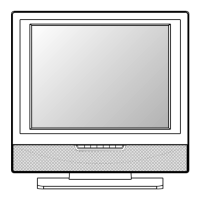
Identifies buttons, indicators, and sensors on the front of the TV.
Lists all input/output terminals on the back and bottom of the TV unit.
Explains OSD size, language, country, timers, and teletext settings.
Guides through automatic and manual tuning, AFC, and skipping weak channels.
Covers adjustments for brightness, contrast, color, sharpness, tint, and color temperature.
Solutions for common issues like no power or a malfunctioning remote control.
Remedies for bad picture quality, no sound, or black and white display.
Addressing colored patches, panel key issues, and potential interference problems.
 General
| HDMI Ports | 1 |
|---|---|
| USB Ports | 1 |
| Aspect Ratio | 16:9 |
| Response Time | 8ms |
| Screen Size | 16 inch |
| Resolution | 1366 x 768 |
| Inputs | HDMI, USB, VGA |

 To Next Page