EasyManua.ls Logo

ACOUSTIC SOLUTIONS SP 101 - User Manual

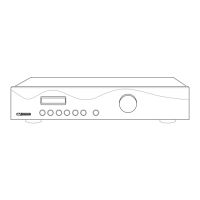
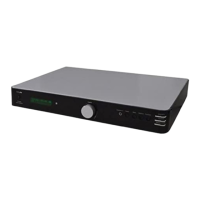
ACOUSTIC SOLUTIONS SP 101
12 pages
Print Icon
To Next Page IconTo Next Page
Loading...
Congratulations on purchasing this Acoustic Solutions’ integrated ampli er.
It has been developed following an extensive research and development
program that has culminated in what we regard as an exceptional mid-range
hi- product.
Our aim when designing this product was to produce a visually appealing
unit which would look comparable to higher priced products, and give an
exceptional performance to match.
We trust that this ampli er will give you hours of listening pleasure, and
provide years of unparalleled performance. As with any new electrical product
please be patient and allow at least 36 hours use before all components
have acclimatised themselves to your surroundings, and found their optimum
working temperature. Please do not operate this product at high volume levels
immediately after switching on.
INTRODUCTION
CONTENTS
Introduction
Safety Instructions
Front Panel Controls
Rear Panel connections
Installation and Position
Making the Connections
Using the Ampli er
Trouble Shooting
Speci cations
Contact Details
PAGE No.
1
2
3
4
5
6
7-10
11
12
12
SP 101 AMPLIFIER
1

Questions and Answers

Summary

Introduction

Safety Instructions

UK Mains Plug Details

Details about the mains plug, voltage, and wiring.

Front Panel Controls

LCD Display

Displays volume, source, and menu features.

Input Selectors

Switches to select audio input sources (Phono, Tuner, etc.).

IR Receptor

Receives signals from a remote control.

Function Button

Accesses menu features like bass, treble, balance.

Rotary Control Knob

Adjusts parameters like volume, bass, treble, balance.

Headphone Socket

6.4mm jack for connecting headphones.

LED Power Indicator

Shows power status (green for on, red for standby).

Power Button

Switches mains power on/off to internal components.

Rear Panel Connections

Warning Labels

High voltage warning and do not open notice.

Mains Cable Inlet

Position and strain relief for the power cable.

Loudspeaker Outputs

Terminals for connecting speakers, polarity matters.

Line Output Sockets

For connecting to external amplification or recording equipment.

Input Sockets

Ports for connecting various audio sources.

Phono Terminal Earth Post

For connecting turntable earth lead to prevent hum.

Installation and Position

Making the Connections

Using the Amplifier

Changing Input Listening Source

How to select different audio inputs.

Volume Control

Adjusting audio volume level and display indicators.

Bass Control

Adjusting bass frequencies with +/- 14dB attenuation.

Treble Control

Adjusting treble frequencies with +/- 14dB attenuation.

Balance Control

Adjusting left/right stereo balance.

Loudness Control

Boosts low frequencies at lower volumes.

Speaker On;Off Control

Turns loudspeakers off for headphone listening.

Trouble Shooting

Common Problems and Solutions

Lists common issues and their potential fixes.

Care and Maintenance

Instructions for cleaning and maintaining the unit.

Specifications

Technical Specifications

Detailed technical data including inputs, outputs, power, and frequency response.

Contact Details

ACOUSTIC SOLUTIONS SP 101 Specifications

General IconGeneral
BrandACOUSTIC SOLUTIONS
ModelSP 101
CategoryAmplifier
LanguageEnglish