Y1-03-0158H 11
Remove the light from its mounting location. Lamps should be
changed in an environment that includes good lighting and protection
from the weather, i.e., in a suitable work place.
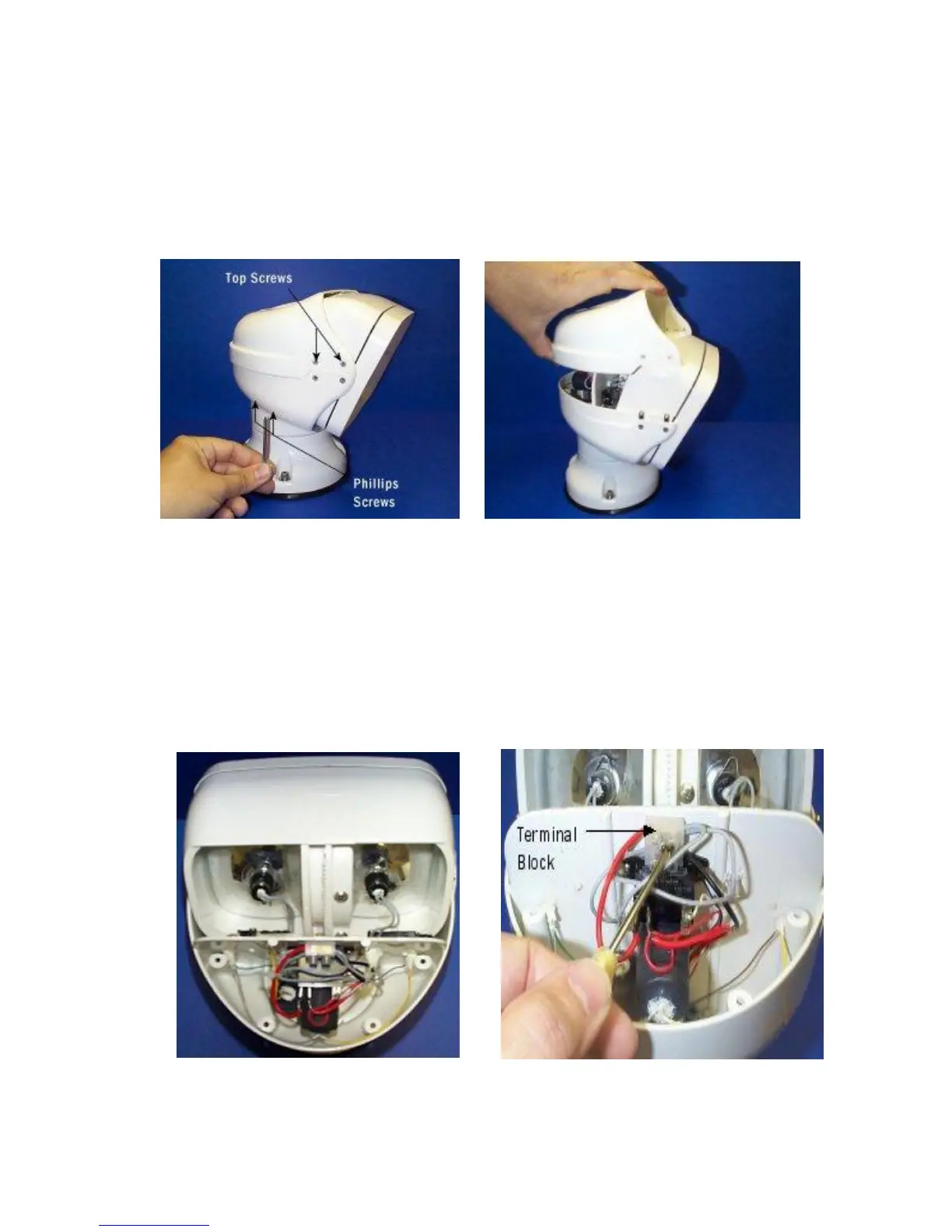
2) Remove top cover (4 top screws at sides of front, and 4 counter
sunk Phillips screws attaching top cover to lower case). Use L wrench
furnished with light (see Figure 8).
3) Carefully remove top cover by lifting straight up (see Figure 9).
4) Observe shape and position of the bulb wire loop (see Figure 10).
5) Disconnect bulb wires from terminal block and with small wire snips,
remove the cable ties from bulb wires (see Figure 11).


 To Next Page