720-00003.8
troubleshooting guide if this issue persists.
2.
BATTview Calibration:
BATTview devices with Hall-effect current sensor don’t need calibration.
3.
BATTview Settings:
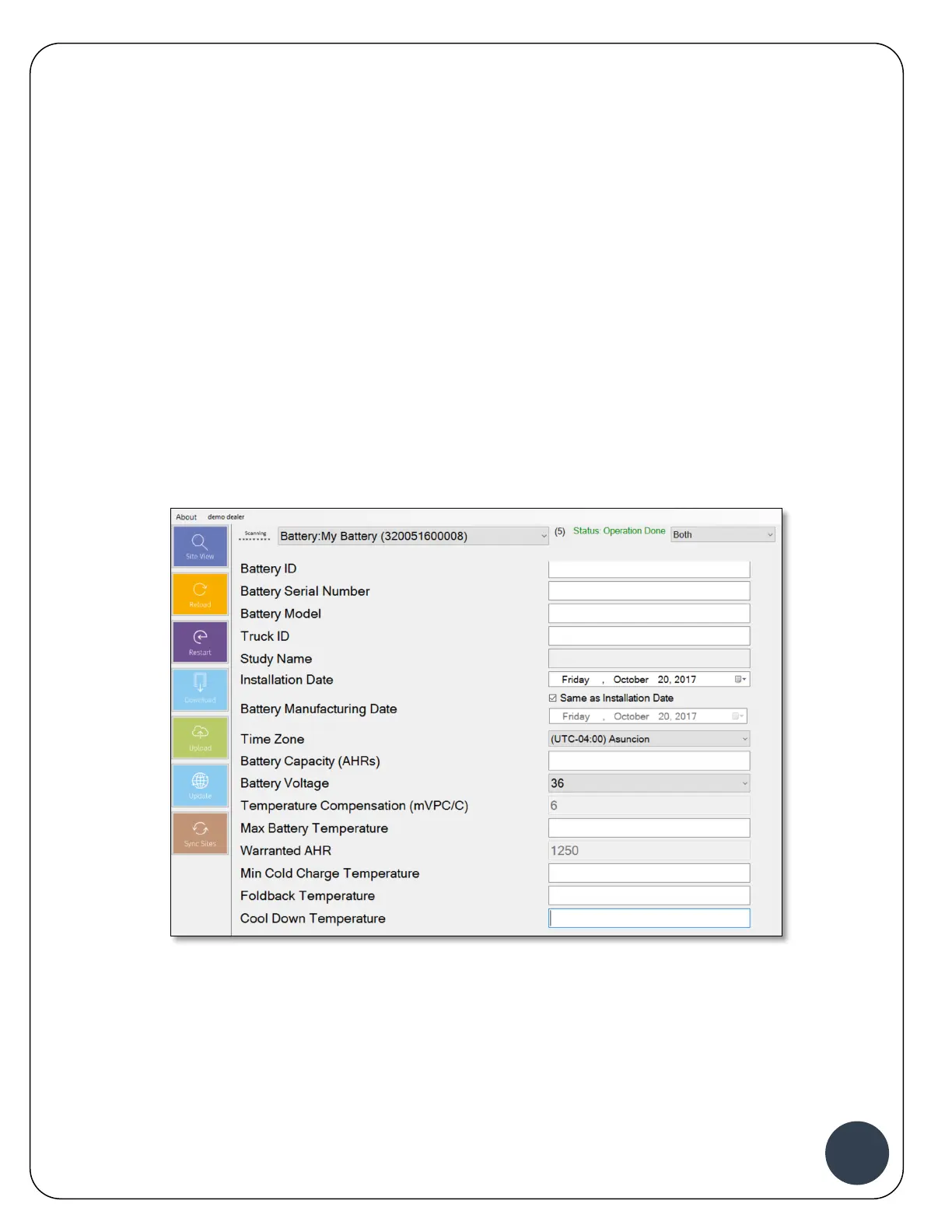
The BATTview settings need to be adjusted to match the battery and type of application.
Connecting the BATTview can be done through the ACT Mobile Router and using a laptop or
tablet with ACT-Link software. It can also be done through the Calibrator if the PLC option on the
BATTview is enabled.
Please refer to the full installation manual for detailed step by step instructions to the BATTview
(720-00002 BATTview Installation Manual). On the “Battery Settings” screen please ensure you
enter the battery information.
For BATTview mobile, create a new Study to start logging the data. Please refer to the full
BATTview mobile installation manual for detailed step by step instructions (720-00004 BATTview
Mobile Installation and Setup Manual).
Important:
All settings need to be uploaded to ACTview to ensure future
replacements and alerts are accurate. The upload needs to be
done with Internet connection and can be done offsite. The
upload can be done when all device settings are completed for
the entire site. Skipping the upload step will cause data


 To Next Page
 Loading...