3-12
USER MANUAL 750000992/16
Getting Started MTS
e
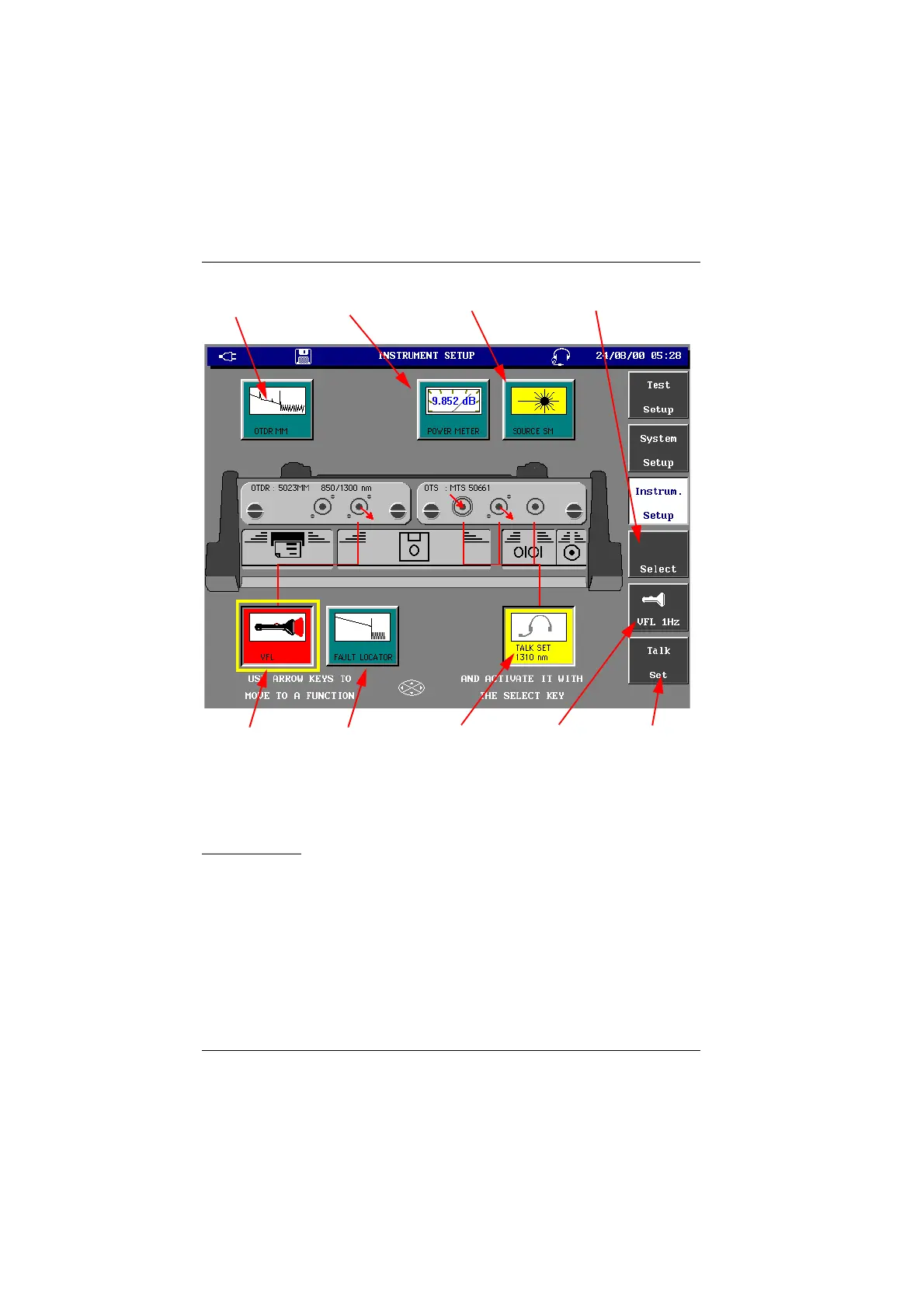
Configuration screen of the instrument
(example with MTS 5100
e
and OTDR and OTS modules)
System setup
When first using the MTS
e
or before a measurement session, the system
parameters should be configured:
• MTS
e
hardware parameters
(contrast, automatic power off, bright or dim screen lighting, , black or white
trace background)
• country parameters
(date, time, date/time format, length units, language)
• printer parameters (printer type, copy on file, printer contents)
• input/output parameters (remote control, Centronics port allocation).
aser
ource
Function
Visual Fault
Locator Function*
a
t
e se
ecte
Function
If VFL selected:
Continuous or
1Hz
Talk Set
Function*
* (if the option is present)
IF Talkset
selected call Talk
Set commands
ower meter
Function
Function
Fault locator
Function*
Artisan Technology Group - Quality Instrumentation ... Guaranteed | (888) 88-SOURCE | www.artisantg.com



 To Next Page