USER MANUAL 750000992/16
3-13
MTS
e
After switching on
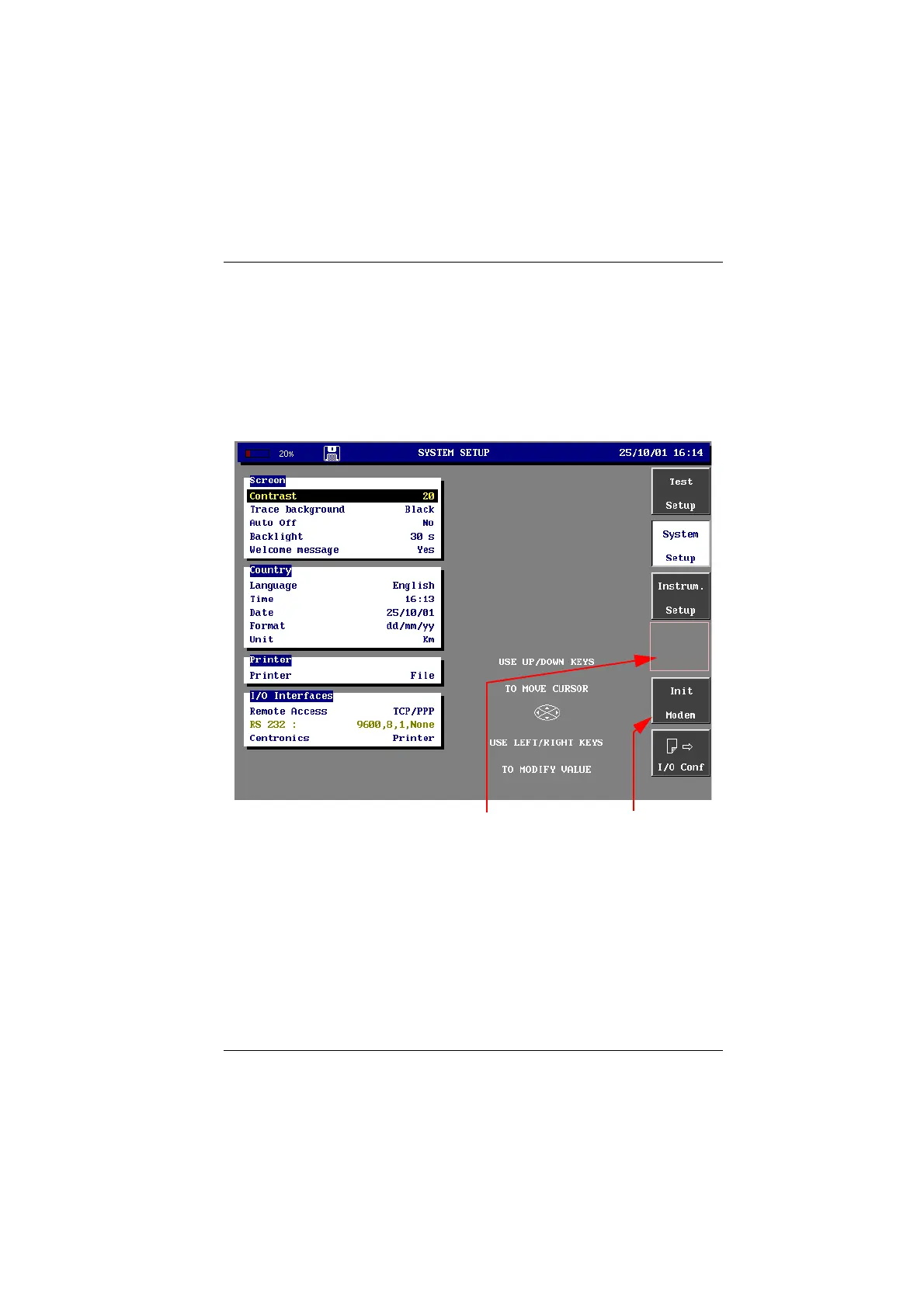
To modify system setup parameters
• With the MTS
e
powered up, press the SET-UP button.
The configuration selection keys are displayed on the screen.
• Press the <System Setup> menu key.
• Use the displacement keys ↑and ↓ to move the cursor to the element to
modify. The available values for the parameter selected are displayed on the
right.
• Use the displacement keys → or ←, to choose the required value.
System Set-up screen
Adjusting the screen contrast (B & W screen only)
This adjustment is only available with a B & W or passive color screen (option
5000/PAS).
• Press the
SET-UP button, then with the <System Setup> key, in the Screen
window, move the cursor to Contrast.
• Use the → or ← keys to modify the contrast (level from -20 to +20).
The contrast remains at the selected level.
If a TCP/IP interface VGA softkey if a VGA screen
Artisan Technology Group - Quality Instrumentation ... Guaranteed | (888) 88-SOURCE | www.artisantg.com



 To Next Page