USER MANUAL 750000992/16
5-11
MTS
e
Acquisition
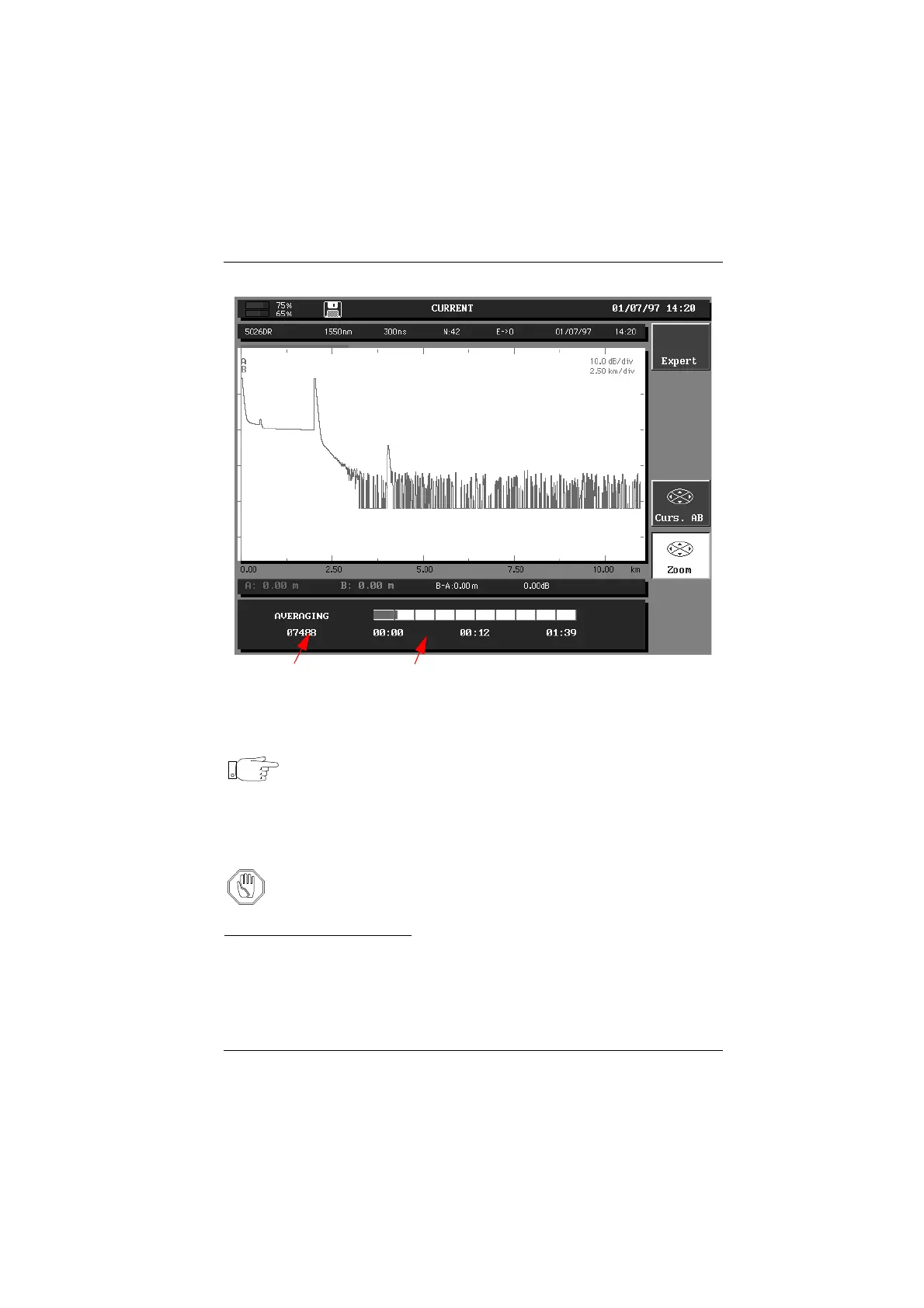
Acquisition measurement progress display
Note You can push the <START STOP> key at any time to stop the acquisi-
tion measurement. If you do this, an automatic measurement is real-
ized but certain events may not be detected because the instrument
will not have made the required number of averages for an optimum
measurement.
Once the auto-configuration phase has been completed, the parameters are
automatically updated in the Acquisition menu.
Attention The Auto-configuration mode invalidates the "lock markers" func-
tion (see "Locking markers" on page 5-27): the measurement is then
re-initialized.
Manual acquisition mode
The manual acquisition mode makes a fixed number of averages depending on
the maximum acquisition time specified in the menu Acq. Time parameter field
and then stops the acquisition. The acquisition is performed using the previously
selected Acquisition menu parameters. The acquisition can be stopped at any
time with the <START STOP> key.
Number of
averaging
Acquisition time in progress
Artisan Technology Group - Quality Instrumentation ... Guaranteed | (888) 88-SOURCE | www.artisantg.com



 To Next Page